
Best Workflow Tools for Complex Teams

Workflow Orchestration: How to Choose the Right Platform

A delayed claim approval or incomplete maintenance log or sales handoff lost between platforms rarely traces back to one team alone. What surfaces instead is a workflow issue, people and policies and data and decisions moving across separate systems with scant visibility into the actual flow. Strong enterprise tools tackle that gap directly. Yet choosing one goes beyond scanning feature lists for the longest entries.

For leaders the deeper question is this. Can the tool sharpen execution without creating another silo or compliance burden or reliance on scarce technical staff. The answer depends on the workflows involved, the systems that must connect, and the governance level an organization needs so change does not simply come undone.

Enterprise workflow technology should do more than pass tasks between inboxes. It needs to make work measurable and accountable while remaining adaptable. In regulated fields like healthcare or finance or manufacturing or transport that requirement also includes keeping audit trails whole, holding access controls steady, and applying process logic consistently each time.

Leading platforms often combine process orchestration with business rules, approvals, notifications, integrations, reporting, and role-based views. Those elements weigh differently based on the problem at hand. Revenue operations might focus on CRM-native steps and lead routing. An IT service group looks for incident flows, asset context, and enterprise service management. Claims or patient or quality teams frequently require case handling with clear exception paths.

This distinction counts because tools get compared as if interchangeable. They are not. Some excel at automation across SaaS tools. Others target large-scale case work, process modeling, or document-heavy flows. The right match comes from aligning both process complexity and the operating model that supports it.

Comparing Leading Enterprise Workflow Platforms

1. Salesforce Flow

Salesforce Flow fits when customer or partner or service or revenue flows already live inside Salesforce. Teams automate record updates, approvals, notifications, guided actions, and integrations without leaving that space. Organizations handling complex sales operations, service delivery, partner programs, or regulated customer steps often see better adoption and data quality when logic stays close to the customer model.

The trade-off sits in architecture. Flow works best when Salesforce serves as the main operational hub. It can link into wider enterprise automation, yet companies with scattered systems may still need an integration or orchestration layer beside it. Governance counts here too. Flows left unmanaged grow tangled quickly once teams and requirements multiply.

2. ServiceNow

ServiceNow suits groups that want disciplined workflows across IT, employee services, security, operations, and customer service. Its edge lies in standardizing request, incident, change, and service delivery steps while linking them to configuration data, knowledge bases, and service-level tracking.

It stands out when a business aims to turn fragmented service experiences into one governed model. Employee onboarding offers a clear case: IT provisioning, HR tasks, access approvals, and facilities requests coordinated in a single view. The platform can expand in reach and expense, so it suits organizations prepared to commit to process ownership, platform oversight, and ongoing refinement.

3. Microsoft Power Automate

Power Automate tends to emerge as the choice for enterprises already aligned on Microsoft 365, Dynamics 365, Teams, and Azure. Business and IT groups automate approvals, document tasks, notifications, data movement, and departmental flows through accessible low-code options.

Its value rises when needs span wide ground yet stay uneven in complexity. Teams reduce manual steps quickly. IT retains levers for security, data policies, and deeper Azure ties. The risk remains sprawl. Without a center of excellence, automations built by separate teams accumulate, duplicate logic, blur ownership, and produce uneven controls. It performs better under defined design standards and a maintained inventory of production workflows.

4. Appian

Appian suits high-stakes processes that cross multiple systems, human decisions, documents, and exceptions. It often appears in financial services, life sciences, public sector, and insurance settings where case management and process visibility matter as much as automation speed.

The platform supports low-code development, process modeling, data integration, and intelligent document handling. Its real strength is coordinating an entire operational process rather than simply moving one task. That proves useful for complex cases, though it calls for careful solution design and solid process thinking. A process that lacks definition does not gain clarity merely by being modeled in a capable tool.

5. Pega

Pega shows strength for organizations handling large volumes of customer interactions, cases, and policy-driven choices. It combines workflow automation with case management, business rules, and decisioning. Insurers, banks, healthcare groups, and service operations that require consistent decisions across channels often find it relevant.

Pega does not serve as a quick patch for isolated hiccups. It delivers when complex, repeatable processes demand that decisions, compliance, and customer context align. Success requires maturity in process ownership and change management, yet the scope can support real operational shifts.

6. Camunda

Camunda fits when workflow orchestration must sit inside modern, distributed software architectures. Built on open standards, it sees use by engineering teams that build services coordinating long-running processes, exceptions, and events across applications.

Unlike platforms aimed at business users, Camunda assumes a capable technical team. That becomes an advantage when an enterprise needs flexibility, portability, and control over intricate orchestration. It fits less well when business teams expect to design and adjust flows with little engineering input.

7. Workato

Workato centers on connecting applications and automating work across business systems. It helps when the immediate issue is reliable exchange between CRM, ERP, HR, support, finance, and data platforms. Recipes and integration features reduce manual handoffs that create delays and data mistakes.

For cross-functional processes it can act as a useful connective layer. Integration automation still differs from full business process management. When a workflow involves heavy human casework, tangled exception routes, or deep policy oversight, Workato may need a dedicated workflow or case platform alongside it.

Evaluation Framework: A Strategic Blueprint for Platform Selection

Step-by-Step Selection Strategy

1. Begin with a process rather than a product category. Choose two or three workflows where delay costs, rework, noncompliance, or weak customer experience stand out.

2. Map the current state across people, systems, handoffs, decisions, and exceptions. That mapping shows whether the core need is task automation, application integration, service management, case management, or end-to-end orchestration.

                  ┌──────────────────────────────────────────────┐
                  │ Map Current State Across People & Systems    │
                  └──────────────────────┬───────────────────────┘
                                         │
                 ┌───────────────────────┴───────────────────────┐
                 ▼                                               ▼
     [Task & App Integration]                        [Full Case Handling]
   (Workato / Power Automate)                     (Appian / Pega / ServiceNow)


Measure any platform against four practical angles:

  • Process complexity: Covers exception paths, decisions, documents, and participants.

  • Integration demands: Addresses systems of record and real-time data ties.

  • Governance needs: Includes security, auditability, version control, and ownership.

  • Change capacity: Considers whether business teams, IT teams, or a shared model will sustain the solution.

Treat low-code as no excuse to skip architecture. Low-code speeds delivery and brings domain experts nearer to building. Enterprise workflows still need reusable patterns, testing, release management, documentation, and clear accountability. The quicker a team builds, the more those controls matter.

Measuring Impact and AI Readiness

Effective workflow programs set a measurable baseline before starting. Track cycle time, manual touches, exception rates, approval delays, backlog volume, and customer or employee outcomes. Such metrics help leaders separate automation that merely accelerates work from improvements that remove unnecessary steps.

They also prepare the ground for AI. Intelligent document processing, predictive routing, agent help, and generative summaries add value when the underlying workflow already has defined inputs, decisions, escalation paths, and controls. Apply AI to an undefined process and inconsistency simply moves faster and grows harder to audit.

Partnering for Long-Term Execution

A technology partner can turn operational pain into architecture that matches the organization instead of forcing the organization to bend around a tool. At Nuvolar that involves blending human insight, platform knowledge, integration design, and governance to build technology with purpose.

The right platform should make complex work simpler to grasp and refine. Select the one that offers teams a dependable route from process visibility to accountable, scalable execution.
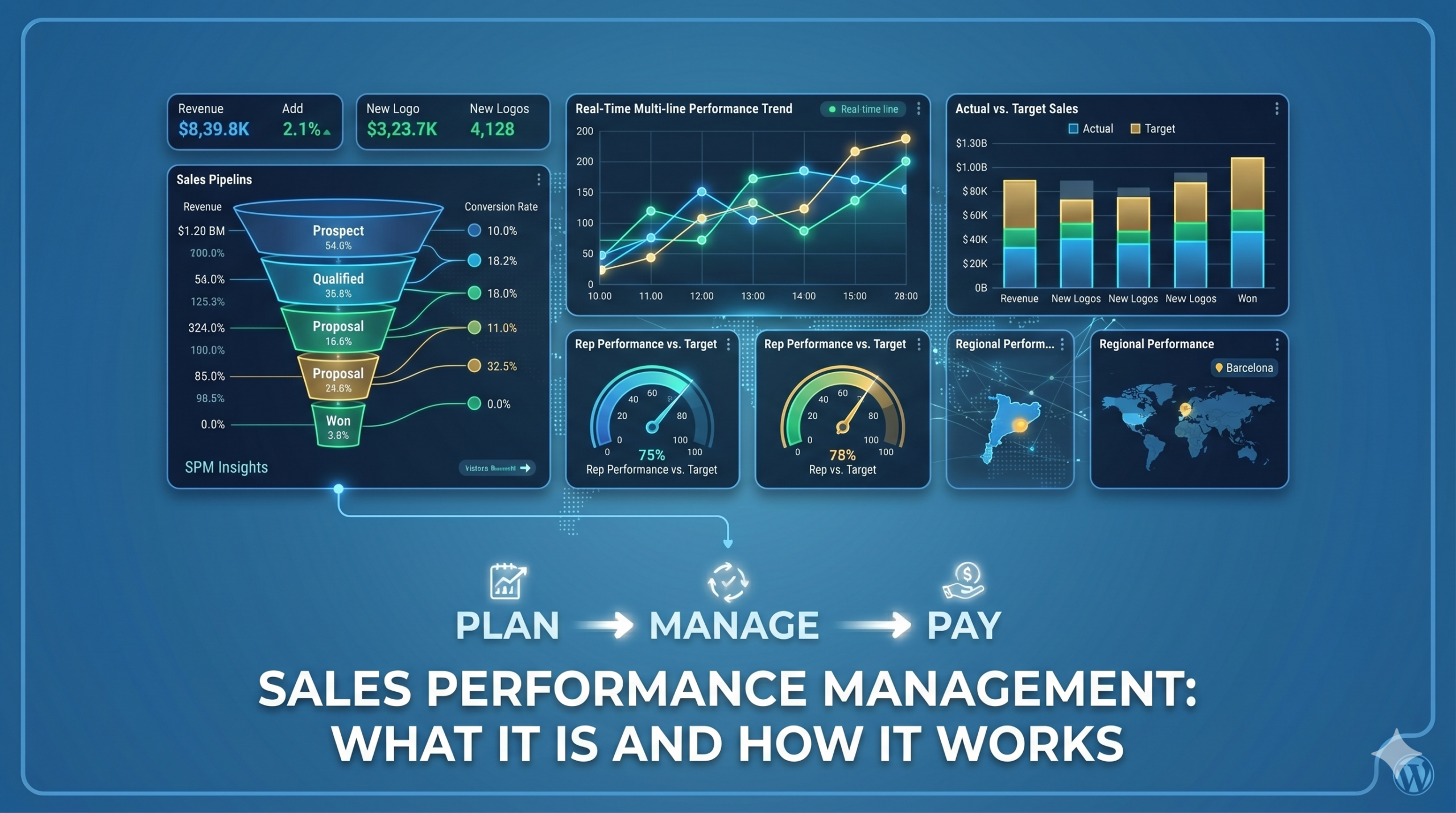
Salesforce SPM: What It Is and How It Works (Part 1 of 2)

What Is Salesforce Sales Performance Management (SPM)?

If you’ve searched for “Salesforce SPM” or “sales compensation software,” you’ve probably seen the term everywhere, but not always a clear explanation.

Salesforce Sales Performance Management (SPM) is a suite of tools that helps companies automate sales compensation, manage territories, and improve forecasting, all within the Salesforce ecosystem.

In this article, we’ll break down what Salesforce SPM is, what it includes, and why more companies are adopting it.


The Problem Salesforce SPM Solves

As sales teams grow, managing compensation and performance becomes increasingly complex.

Most organizations still rely on spreadsheets and manual processes. This typically leads to:

  • Hours spent calculating commissions every month
  • Frequent errors and disputes
  • Limited visibility for sales teams
  • Unbalanced territories and missed opportunities
  • Inaccurate revenue forecasts

These issues slow down operations and make it harder to scale.

Salesforce SPM addresses this by centralizing and automating these processes, improving accuracy, transparency, and efficiency.


What Is Salesforce SPM? (Simple Explanation)

At its core, Salesforce SPM helps you:

  • Automatically calculate commissions based on defined rules
  • Assign territories using data instead of manual decisions
  • Track performance and compensation in real time
  • Improve forecast accuracy using CRM data
  • Scale operations without increasing administrative workload

Instead of relying on spreadsheets, everything is managed in a single, connected system.


What Does Salesforce SPM Include?

Salesforce SPM is not a single product, but a combination of tools that work together:

1. Incentive Management

Automates commission calculations and provides full visibility into earnings and performance.

Why it matters:
Reduces manual work, eliminates errors, and builds trust with sales teams.


2. Territory Management

Distributes accounts and territories based on data, capacity, and opportunity.

Why it matters:
Ensures fair allocation and avoids conflicts between sales reps.


3. Sales Cloud

Acts as the central source of data, including opportunities, accounts, and pipeline.

Why it matters:
SPM relies on accurate CRM data to function properly.


4. Analytics (Forecasting & Insights)

Provides dashboards and predictive forecasting based on real-time data.

Why it matters:
Helps leaders make informed decisions and anticipate risks.


How Salesforce SPM Works

A typical implementation by an expert consultancy would follow these steps:

  1. Plan design
    Define compensation structures, quotas, and territory rules.
  2. System configuration
    Set up rules, dashboards, and integrations in Salesforce.
  3. Data preparation
    Clean and organize sales, account, and compensation data.
  4. Testing and validation
    Ensure calculations and assignments are accurate.
  5. Deployment and training
    Prepare teams to adopt the new system.
  6. Ongoing optimization
    Continuously refine plans and performance tracking.

A structured approach is critical to avoid rework and ensure adoption.


Salesforce SPM vs. Manual Processes

Here’s how Salesforce SPM compares to traditional spreadsheet-based management:

Area Manual Approach Salesforce SPM
Commission calculation Time-consuming and error-prone Automated and Accurate
Transparency Limited visibility Real-time insights
Territory planning Manual and subjective Data-driven and fair
Forecasting Based on estimates Based on real data
Scalability Difficult to mantain Easily scalable

Result: less manual work, fewer errors, and better decision-making.


Common Mistakes in SPM Implementation

Many companies struggle with SPM not because of the technology, but because of how it’s implemented.

The most common mistakes include:

  • Starting implementation before defining compensation plans
  • Using poor-quality or incomplete data
  • Underestimating change management and training
  • Automating inefficient or outdated processes
  • Not planning integrations with other systems

Avoiding these pitfalls is key to getting real value from SPM.


When Should You Consider Salesforce SPM?

Salesforce SPM is especially relevant if:

  • Your finance team spends too much time on commission calculations
  • Your compensation structure is complex
  • You have frequent disputes about commissions or territories
  • Your forecasts are unreliable
  • You’re scaling your sales team

If several of these apply, it may be time to explore a more automated approach.


What’s Next

In Part 2 of this series, we’ll cover:

  • Real use cases and examples
  • Implementation timelines and costs
  • How to evaluate if SPM is right for your business
  • What to look for in a consulting partner

Get Started with Salesforce SPM

Thinking about improving how you manage sales performance?

Start with a simple assessment of your current processes and identify where automation could have the biggest impact.

If you want a clearer picture of how Salesforce SPM would work in your organization, the next step is to evaluate your specific needs and challenges. Get started with Salesforce SPM!