
Pharma CRM Trends That Matter for Commercial Teams

A ‌field ‌rep ‌cannot act on an insightful call with an HCP unless the insight was available before the call, had consent provenance, and can be explained to medical, legal, and regulatory reviewers. It is these outcomes that make the most important pharma CRM trends – not another engagement channel, but enabling traceability, usability, and defensibility of commercial execution. The question for enterprise IT leaders is whether this means their CRM enables a compliant account plan to be created, a next best action to be documented, and an audit trail to be built – without turning this into admin work for the field.

Pharma CRM Trends Shifting From Roadmap To Operation

The CRM estate is becoming the operating layer between commercial teams, consent managed HCP/HCO data, content approval, and analytics. Salesforce Life Sciences Cloud or Sales Cloud may be a great starting point, but neither removes the need to think through ownership, validation boundaries, and the rules that govern the movement of data. In pharma, the decisions made around design are just as important (if not more) than the modules chosen.

1. HCP and HCO data is becoming governed master data

Roadmap teams continue to trip over the same kind of defect: the same HCP has multiple identifiers, an HCO practice is not listed, HCP territories are not updated to reflect org change, and there is no consent provenance at the point of outreach. The CRM may be patched to look OK for a while, but it is not the solution. The better practice is to build a governed HCP/HCO identity layer and to push consumable records into Salesforce with source, match confidence, effective dates, and stewardship workflows intact. CRM users should be able to see enough provenance to understand why a record is available and whether it can be contacted. They do not need a data engineering console on every account page.

This is especially critical when linking commercial activity to specialty pharmacy, patient support, or market access data. GDPR principles of purpose limitation and data minimization are not academic. They determine which fields appear in which business process, which roles can query them, for how long they are available, and whether they can be used to trigger an action. Single-role access is often not enough when that same role moves between brands, markets, and functions. An implementation metric is not duplicate rate reduction. It is the percentage of active target accounts that have a verified identifier, current affiliation, valid channel preference, and an owner. This is the denominator that determines whether account plans and call plans are credible.

2. Next best action is constrained decision support

Pharma teams are rightly interested in AI assisted prioritization – which accounts to engage, what channel to use, and what content to use – but a generic propensity score that suggests an interaction without explaining data inputs, exclusions, or approval status creates a compliance issue, not a productivity one. The practical trend is constrained decision support. Models can rank accounts by approved engagement signals, territory capacity, account plan milestones, formulary change, or unmet service needs. The CRM must apply hard constraints before a recommendation reaches a field rep: opt-out status, channel consent, frequency caps, product eligibility, approved content, and local rules.

Salesforce Einstein tools or custom ML models can enable this pattern, depending on data and explainability needs. Out-of-the-box scoring is OK for narrow use cases with clean data. Custom AI and data engineering is warranted when decision logic depends on proprietary account hierarchies, sparse signals, or market-specific controls.

For GxP adjacent workflows, the governed model must be stated. What is the intended use? What are the training and test datasets? Who is the model owner? What are the monitoring thresholds? What are the rules for human override? What evidence is retained for review? If a recommendation impacts a promotional interaction, the organization must be able to explain why it was generated and why it was allowed. A propensity score with no explainability is a weak answer in a promotional audit.

3. Omnichannel orchestration is replacing channel accumulation

Email, remote detailing, events, portals, and messaging integrations into the CRM do not make an omnichannel operating model. Instead, they create duplicate outreach and confusion for the field. The trend is orchestration around a shared account plan – what constitutes an interaction, which team owns follow-up, and how is suppression applied. In Salesforce Marketing Cloud Account Engagement or a connected engagement platform, the critical architecture question is not whether a campaign can send. It is whether campaign events, consent changes, and response signals flow back into the account and contact workflow quickly enough to impact field activity. If an HCP signs up for an educational program in the morning, the rep should not show up later in the day with an irrelevant invite generated from last week’s segment. This comes down to event design, not just integrations. What are canonical events – invite sent, content viewed, meeting requested, consent updated, follow-up completed – and which are operational, which are analytical, and which are retained as regulated evidence? Teams that do not do this usually end up with engagement counts in dashboards but no way to coordinate.

4. Medical, legal, and regulatory review is entering the CRM workflow

Commercial CRM has traditionally been siloed from content approval for good reason. Promotional materials need controlled review, versioning, and distribution. But when reps cannot tell which assets are approved for which indication, market, or channel, they either do not use them or take risk outside the intended process. The better design is to push approved content metadata into the CRM without making the CRM the uncontrolled system of record for content. The rep sees which approved asset is available, for what use, has which expiry date, and for which audience. The approved store holds authoring, review, and formal versioning. This separation can enable field reps to work with less uncertainty while creating a clear validation boundary.

Where electronic records and signatures fall in scope for FDA 21 CFR Part 11, the architecture and operating procedure must align. Audit trails, unique user identity, record retention, controlled change, and validation evidence cannot be afterthoughts of configuration. Not every CRM object requires the same level of validation, which is why a risk based approach is needed. Applying the highest level of control to every screen slows delivery down; applying too little control to a regulated workflow creates audit exposure.

The Adoption Trend Underneath The Technology

The most underestimated pharma CRM trend is not feature deployment, but task design. Field adoption does not fail because users are against technology. It fails because the call report is asking for information that is available elsewhere, the account page does not reflect the actual decision making unit, or the mobile flow adds six taps to a task that used to be two.

Enterprise UX/UI work must start with high frequency tasks – preparing for a call, logging an interaction, responding to a medical request, updating an account plan, handing off an issue to patient support or market access – and time how long each task takes and where users drop off. Remove fields that do not support an operational decision, prepopulate trustworthy data, and make required rationale meaningful versus performative.

The common pattern in engagements like this is that simplifying one workflow reveals a data quality issue further upstream. That is helpful. If reps cannot complete a compliant call report because of incorrect account affiliations, the correct response is not a longer form. It is a stewardship process, a data quality rule, and a clear owner for correction. Track adoption based on business execution behavior – completed account plans, timely interaction capture, accepted recommendations, exception rates, time from consent change to channel suppression – not login counts.

Salesforce standard capabilities are usually the right place to start for account management, territory-aligned activity, approvals, dashboards, and mobile access. Custom development earns its place where the commercial process carries business-specific rules that would otherwise be managed in spreadsheets, email, or manual reconciliations.

For example, a custom service may be appropriate to calculate account prioritization from governed datasets and publish the result to Salesforce. It may not be appropriate to rebuild standard opportunity management merely because one business unit prefers a different screen layout. Technology with intention means preserving platform upgradeability while building the workflow logic that differentiates the operating model.

The next useful CRM release should therefore be selected by evidence: a compliance control that is currently manual, a field task that consumes measurable time, or a decision that suffers from incomplete data. Solve that constraint well, and commercial teams have a system they can trust when the next call, approval, or audit arrives.
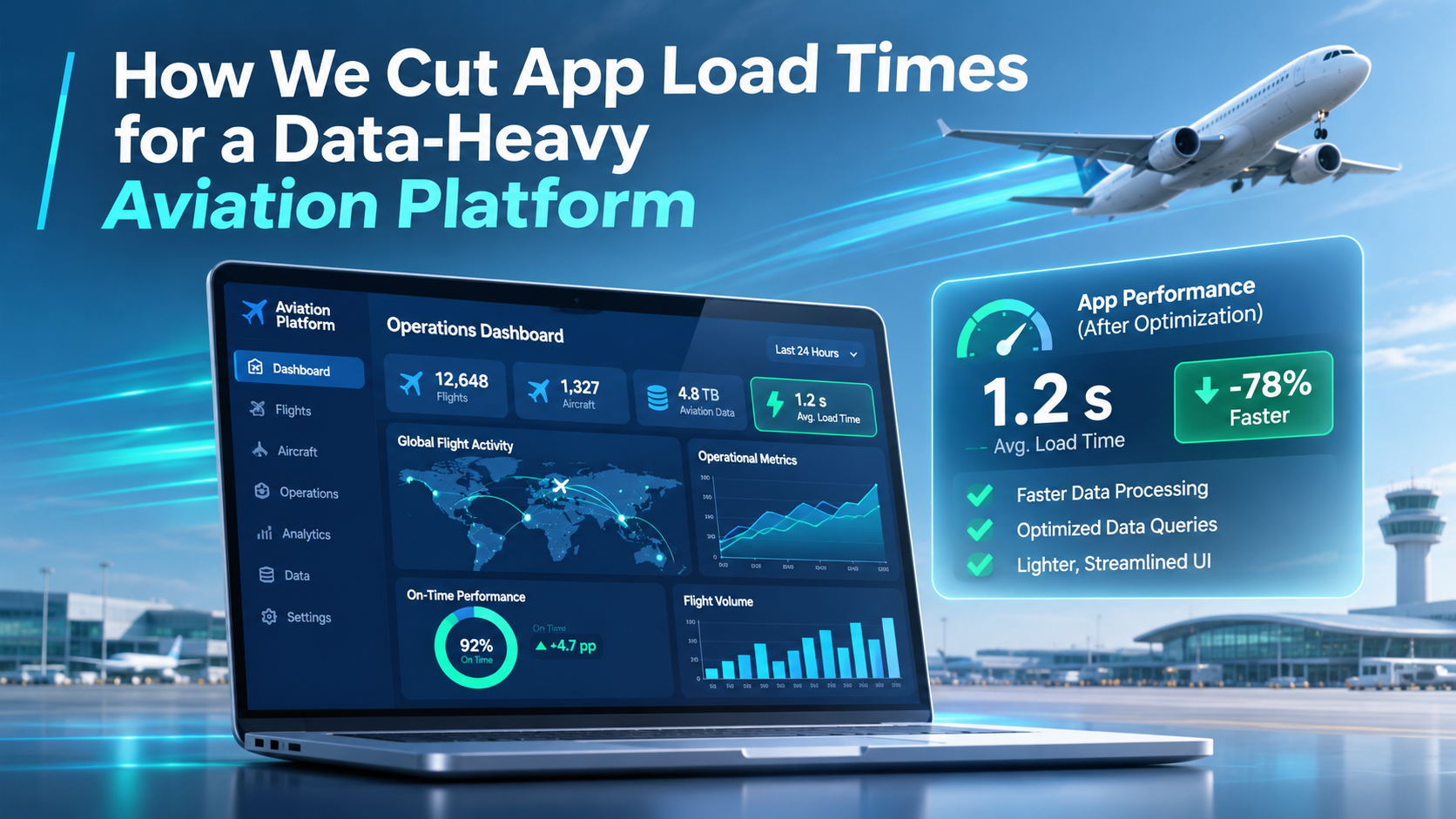

How We Cut App Load Times for a Data-Heavy Aviation Platform

Slow Application Load Time? How We Fixed a 60-Second Load in a Data-Heavy Aviation App

Every enterprise app starts fast. Then the business grows, new flows get added, and one day your users are staring at a spinner for a full minute before they can do any work.

That is exactly what happened to a flight operations platform we support for business aviation operators. For clients with large fleets and years of operational data, the app’s initial load had crept up to 30 seconds to 1 minute. Dispatchers and crew schedulers, people who make time-critical decisions all day,  were waiting before they could even start. The smaller operators didn’t notice, but the big ones (~150 Aircrafts) were affected the most.

In this article we explain how our team diagnosed the problem, what we optimised on the backend, and how a targeted frontend refactor fixed the slow application load time without a full rewrite.

The challenge: a legacy app that outgrew its own architecture

The platform is an operations suite for private aviation: crew scheduling, flight boards, trip management and maintenance in one place. It had served operators well for years. But two things changed at the same time.

  • The data grew. Large operators manage big crew rosters, whole fleets and a constant stream of flight legs. Every year adds more history.
  • The app grew. We kept adding new flows the client needed. Each one asked the app to know a bit more on startup, and the Aircraft object in particular became much heavier over time. The tipping point was when we added a map, so now each Aircraft had to also hold its route information.

The original design loaded almost everything up front. That was a reasonable choice when datasets were small and the app didn’t need a lot from each Aircraft. At enterprise scale it meant the app was querying far more data than any user needed at that moment.

Because the codebase was mature, there was no single setting or quick trick to fix it. Performance had to be recovered through careful engineering, without disrupting operators who rely on the tool every day.

Step 1: Measure first, and agree priorities with the client

Performance work fails when teams optimise what they guess is slow. So we started with data and with our largest client, the one who was impacted the most.

  1. We revisited priorities together. Which screens do dispatchers open first? Which data do they need in the first seconds, and which can wait? This defined what “fast” had to mean for real users.
  2. We profiled every API call on startup. We measured how long each call took and how much data it returned, so we could rank them by impact.
  3. We audited what the UI actually used. We checked all the different flows and their needs. The only place we needed to load all Aicrafts with their full information was on the global map. For everywhere else, we moved the pagination to the Backend so that only a handful of Aircrafts were getting queried at a time.

That audit was the turning point. The problem was not one slow query. It was an app paying, on every load, for data nobody was looking at.

Tip for tech leads: before you buy faster infrastructure, list every call your app makes on startup, its duration and its payload size. Then ask “does the first screen need this?” for each one.

Step 2: API performance optimization on the backend

With the slowest calls identified, we fixed what could be fixed at the source.

  • Trimmed payloads. Calls stopped returning fields and lists the frontend never read.
  • Optimised the slowest queries. We tuned the heaviest server-side queries so each call did less work and returned faster.
  • Kept contracts stable. Changes were made so existing screens and integrations kept working, which mattered for a tool in daily operational use.

Backend tuning delivered real gains, but it had a ceiling. Some calls were slow because of how much data the app asked for, not how efficiently it was fetched. Those needed a different fix.

Step 3: Frontend refactoring, from “load everything” to “load what you need”

For the calls we could not speed up on the server, we changed the frontend so it asked for less, later.

Splitting the queries. Instead of one large request on startup, we broke data loading into smaller parts. The first screen renders with only what it needs. Everything else loads in the background or when the user opens the relevant view.

Rethinking how aircraft data loads. The clearest example was the Aircraft object.

Before After
When aircraft load All aircraft, on first load Only the aircraft needed at that moment
Data per aircraft Every field, growing with each new feature The fields the current flow uses
Effect of fleet growth Every new aircraft or field slowed startup Startup cost stays flat as data grows

To make this work we refactored the UI flows around it. Each screen now requests the aircraft it actually displays, for example the aircraft on a selected trip, rather than relying on a full list held in memory.

This is the core idea behind lazy loading and on-demand data fetching: users stop paying, in waiting time, for data they are not using.

The result, and 5 lessons for CIOs and CTOs

The app no longer makes users wait for its entire dataset before they can start. Startup work now scales with what a user is doing, not with the size of the operator’s history. And we got there through targeted legacy application modernization, not a costly rewrite.

Initial load dropped from ~60s to 5s for our largest client. 

What we would tell any technology leader facing the same problem:

  1. Slow load times are usually a data problem, not a hardware problem. Check what you load before you scale servers.
  2. Profile before you optimise. Rank every startup call by duration and payload size.
  3. Audit what the UI really uses. In our case more than half of one startup response went unused.
  4. Fix the backend first, then the frontend. Server-side tuning is cheaper; frontend refactoring handles what tuning cannot.
  5. Design for growth. Load on demand, so adding data or features does not quietly slow everyone down.

Is your enterprise app slowing down as it grows?

At Nuvolar we build and modernise custom software and Salesforce applications for aviation and other data-heavy industries. If your users are waiting on a spinner, we can audit your app’s performance and show you where the time goes. Talk to our team.

FAQ

What causes slow application load times in enterprise apps? Most often the app loads more data on startup than the first screen needs. This gets worse as data volumes and features grow.

Can you improve app performance without rewriting the application? Yes. Profiling API calls, optimising backend queries and refactoring specific frontend flows can fix load times in a legacy app without a full rebuild.

What is lazy loading? Lazy loading means fetching data or code only when a user needs it, instead of all at once on startup. It keeps initial load fast as the app grows.

How do you find which API calls are slowing an app down? Measure every call made on startup: its duration, its payload size and whether the UI uses the data. Then tackle the slowest and heaviest first.

Does this apply to Salesforce applications? Yes. Salesforce-based apps with large data volumes benefit from the same approach: lean queries, selective loading and on-demand data fetching in the UI.

A Manufacturing Cloud Implementation Guide

A manufacturing cloud implementation guide is only useful if it starts where the operational friction actually occurs: a planner reconciling a forecast against capacity, a sales team committing dates without current supply signals, or a customer service representative handling an order change after production has been released. Salesforce Manufacturing Cloud can create a disciplined commercial and operational layer around those decisions. It does not replace an ERP, MES, or quality system. Treating it as one is a fast route to duplicate master data, unclear ownership, and low adoption.

For manufacturers running complex make-to-order, configure-to-order, or long-cycle account programs, the implementation question is not whether Salesforce Manufacturing Cloud has the right objects. It is whether its account-based forecasting, sales agreements, and service capabilities can reflect the way the business actually commits demand, manages exceptions, and records accountability.

Start the Manufacturing Cloud implementation with a workflow boundary

Before configuring Salesforce Manufacturing Cloud, define the system boundary in terms of decisions, not departments. ERP remains the financial and transactional system of record for inventory, work orders, bills of material, and shipment execution. The MES remains the authority for production execution and shop-floor status. Manufacturing Cloud should organize the customer-facing forecast, agreement, account plan, demand signals, and exception workflow that require commercial coordination.

That distinction matters most when sales and operations disagree about what a forecast means. A forecast entered by an account executive may be an informed probability. A production planner needs a time-phased demand position by product family, plant, and ship period. If both are stored as an undifferentiated opportunity amount, neither team can use the record confidently.

Start by mapping one workflow end to end. For example: an OEM customer updates its rolling 12-month release forecast; the account team reviews the variance; supply planning identifies a capacity constraint; commercial leadership approves a revised commitment; the customer receives the committed schedule. Identify where each decision is made, which system owns each data point, who can override it, and what evidence must remain for audit.

A useful design output is a decision matrix, not a slide deck. It should state that SAP S/4HANA, Oracle Fusion Cloud ERP, or the existing ERP owns item availability and confirmed production dates, while Salesforce Manufacturing Cloud owns the account forecast review and commercial approval trail. That removes a common failure mode: attempting to synchronize every field simply because an API makes it possible.

Configure Salesforce Manufacturing Cloud around real commitments

Salesforce Manufacturing Cloud’s Sales Agreements and Advanced Account Forecasting capabilities are most valuable when the data model mirrors how the company plans. In a high-volume distribution model, that may mean forecast quantities by account, product, month, and distribution center. In a project-based industrial equipment business, it may mean planned demand by program, configuration family, milestone, and ship window.

Do not begin with every product SKU. A catalog with tens of thousands of combinations can make forecast entry unusable and integrations expensive. Many manufacturers get a better first release by forecasting at product family or planning group level, then passing the approved signal to ERP for material and capacity planning. SKU-level detail belongs in Manufacturing Cloud only when account teams genuinely own and maintain it.

Sales Agreements need the same restraint. They are effective for agreements with recurring quantities, dates, pricing context, and renewal obligations. They are not a substitute for a contract lifecycle management platform when legal clauses, redlining, signature controls, and obligation extraction are the primary challenge. In that case, integrate the contract system and surface the operational terms that sales, service, and planning teams need to act on.

The approval design should reflect the cost of a commitment. A request to move a ship date by three days may require only account-team review. A change that consumes constrained capacity or creates expedited freight exposure should route to supply planning and finance. Build these paths explicitly with Salesforce Flow, approval processes where appropriate, and an exception record that preserves the original request, the rationale, and the final disposition.

This is also where role design matters. Plant schedulers should not need broad access to commercial notes. Account teams should not be able to overwrite ERP-confirmed availability. Permission sets, field-level security, and sharing rules need to support the operating model, not merely satisfy an implementation checklist.

Make data ownership testable

Most manufacturing cloud programs do not fail because Salesforce cannot connect to an ERP. They fail because the organization cannot answer a basic question: when Salesforce says a customer is forecast to buy 500 units and ERP says 450 are confirmed, which number drives which action?

Document a source-of-truth register before building integrations. For each entity, identify the system of record, the system allowed to propose changes, synchronization direction, latency expectation, matching keys, and failure owner. Customer account hierarchy, sold-to and ship-to relationships, product planning groups, open orders, invoices, available-to-promise dates, and returns all need deliberate treatment.

Use stable identifiers from the ERP rather than names as matching keys. Names change after acquisitions, account restructures, and distributor realignments. Account hierarchies also require more thought than a parent-child field. A manufacturer may sell to a corporate account, ship to separate plants, invoice a procurement entity, and coordinate forecasts through a regional business unit. If this structure is flattened to make reporting easier, downstream agreement and forecast reporting becomes misleading.

Integration design should also favor operational resilience over perfect real-time behavior. Nightly synchronization may be sufficient for invoicing history and open order status. Capacity exceptions tied to same-day commit decisions may require near-real-time events. The appropriate pattern depends on the workflow’s decision window, not a blanket preference for real-time integration.

For manufacturers subject to FDA-regulated production, 21 CFR Part 11 has practical implications where electronic records and signatures support regulated decisions. Salesforce Manufacturing Cloud should not be casually positioned as a validated replacement for a quality management system. If a workflow affects batch disposition, quality release, or controlled records, define the validation scope, audit trail requirements, access controls, and electronic signature expectations with quality and validation teams. The same discipline applies to IEC 62443-aligned segmentation and access practices when integrating enterprise platforms with operational technology environments.

Design for exception work, not dashboard theater

Executives need account health and forecast views, but the operating value sits in the work queue. A planner needs to see forecast lines that exceed available capacity. A customer service manager needs order changes approaching a promised-ship threshold. A commercial leader needs renewal agreements without an approved forecast for the next planning cycle.

Build those exceptions into the Salesforce user experience. A useful account page can show agreement coverage, forecast variance, open service cases, recent shipment performance, and active escalation decisions without forcing users through separate reports. The UX should reduce handoffs and screen switching, not add decorative widgets.

Set measurable acceptance criteria before rollout. Examples include forecast submission completeness by the agreed planning cutoff, time from customer change request to approved response, forecast-versus-actual variance by account segment, percentage of orders with a documented promise-date exception, and the number of manual spreadsheet consolidations retired. These are operational measures, not vanity adoption metrics.

A typical pattern is that adoption improves when users can see why a field is required. Requiring a change reason for a forecast adjustment is reasonable if it drives a weekly demand review. Requiring fifteen fields to save a forecast line simply shifts the process back to spreadsheets. Run task-based usability testing with account managers, planners, and customer service teams before declaring the design complete.

Apply AI only where the decision can be governed

AI can assist with account-plan preparation, summarizing customer correspondence, classifying service requests, and identifying unusual forecast movements. It should not autonomously commit supply, alter an agreement, or generate planning data that users cannot trace back to source records.

If using Salesforce AI capabilities or Claude through an approved enterprise architecture, define the prompt inputs, retention policy, access model, human review step, and evaluation method. For organizations selling into the European market, the EU AI Act may affect governance obligations depending on the use case and risk classification. Even where it does not apply directly, the control pattern is sound: retain evidence of what the model was asked, what data it used, who approved the output, and how performance is monitored.

The best initial AI use case is often narrow. For example, draft a summary of an account’s forecast variance and related service cases for a human-led demand review. The source records remain visible, the output can be checked quickly, and the user retains the decision. That is technology with intention, rather than automation added because a platform feature exists.

Roll out in releases that protect the plant

A phased deployment is usually safer than a global launch. Begin with one business unit, account segment, or planning process where sponsorship is strong and the data model is representative. Prove the forecast-to-review workflow, integration failure handling, security model, and support process before adding more plants or product lines.

Cutover planning should include data reconciliation, role provisioning, training by task, hypercare ownership, and a defined rollback approach for integrations. The hard question is not whether records migrated successfully. It is whether the Monday morning forecast review can run without a spreadsheet workaround.

A Manufacturing Cloud implementation earns its place when a commercial commitment, a supply constraint, and a customer-facing response are visible in one accountable workflow. Build that workflow first. The platform configuration, integrations, AI assistance, and reporting should all serve the people responsible for making the next commitment correctly.

Manufacturing Cloud Review for Complex Operations

Is ‌Manufacturing ‌Cloud ‌for commercial coordination? Or is it production execution? That distinction is key to assessing Salesforce’s Manufacturing Cloud. It may be a good fit for planning and account-level visibility if the manufacturer has long lead times, distributors, contract pricing, or erratic demand. It is not a MES, PLM, QMS, or supply planning platform.

The boundary between commercial and production is most important for regulated environments with defined workflows. A medical device manufacturer may need Salesforce to know commercial forecasts for capacity planning, but not move controlled manufacturing records out of validated systems. An industrial equipment manufacturer may need a single source of dealer commitments, installed product, and service pipeline, without moving work order execution out of the ERP. This platform is most valuable when the roles are defined, and the integration model is thought through before configuring the solution.

What This Manufacturing Cloud Review Evaluates

Salesforce Manufacturing Cloud extends Salesforce with data models and business processes targeted toward manufacturer-customer relationships. It has its strongest features upstream of order fulfillment, including Sales Agreements, Account-Based Forecasting, opportunity management, partner interactions, and service-based account visibility.

The relevant questions for a VP of IT or enterprise applications are not whether these features are built, but whether they mitigate the specific failures between the account, channel, demand planning, and operations teams. Is the forecast moving from a regional spreadsheet to Account-Based Forecasting? Great, but does the organization know who changed it, why they changed it, and does the committed quantity reconcile to ERP demand, allocation, and production constraints?

There are three tests that a practical scorecard should pass. Can the commercial team reliably know a 30, 60, 90 day forecast at the account or product family level? Can operations tell the contractual commitment from the salesperson’s crystal ball? Can leadership know when a forecast or agreement was changed, who was the owner of the change, what was the source data, and was there an approval decision? If the answer is no, then the platform deployment hasn’t addressed the operational issue.

When Salesforce Manufacturing Cloud Fits Best

Sales Agreements and Account-Level Demand Visibility

Sales Agreements are ideal for manufacturers with customer contractual commitments, contract quantities, negotiated pricing arrangements, or long-term supply agreements. Instead of every demand signal being an opportunity, sales teams can capture sales agreements and planned volumes at the account level. This is particularly relevant for industrial manufacturers where a customer may provide a rolling annual commitment to purchase, but place only short-term purchase orders against delivery windows.

It’s not only that the sales pipeline is cleaner. The demand planner can reconcile the agreement quantities to the actual orders and forecasted demand without asking the account managers to piece together the commercial context via email. Finance can see what revenue is agreed upon in a sales agreement versus what is just a field estimate. The data model supports a better, more controlled conversation around demand risk.

The caveat is that there needs to be a clear SoR decision for sales agreements. If SAP S/4HANA, Oracle Fusion Cloud ERP, or Microsoft Dynamics 365 Finance is the place for contractual terms and order schedules, Salesforce should not become the competing contract repository. In most cases, Manufacturing Cloud is best applied to expose the commercial planning view, with the ERP being the authoritative source of executable order schedules, pricing, inventory allocation, invoicing, and order fulfillment status.

Account-Based Forecasting for Decentralized Commercial Teams

Account-Based Forecasting is well suited for forecasts driven by known customers, named products, sales territories, and field knowledge versus anonymous demand in the market. It provides sales leadership a mechanism to gather forecast inputs at the account level for discussion in planning meetings.

This works for companies selling configured equipment, replacement parts, or consumable items through direct and indirect channels. The regional can provide an estimate of expected consumption, while the national account can provide context around a forecast adjustment due to a plant downtime, distributor inventory drawdown, or a delayed capital project.

Conversely, this is not statistical demand planning. If the business needs seasonality forecasting, constrained supply scenarios, probabilistic forecasts, or SKU-location replenishment calculations, this is best addressed in a planning platform or data environment built for that use case. Salesforce can gather and govern the commercial inputs, and push approved signals into the planning process. It should not be pitched as a substitute for planning and scheduling.

Partner and Service Context Around the Account

Manufacturers often don’t have visibility beyond the factory gate. Dealers, distributors, service networks, and customers may each hold partial knowledge of installed product, warranty claims, maintenance schedules, and pipeline demand. With Manufacturing Cloud in combination with Salesforce Experience Cloud and Service Cloud, teams can have a usable account-centric view of those interactions.

The operational workflow needs to be thought through. For instance, a distributor submitted forecast may go into Salesforce for review, be approved by a channel manager, and then populate into a planning data set. A service case for a recurring field failure may be visible to the account team, but the controlled nonconformance and CAPA activity should remain in the quality system. Contextualizing the records is not about duplicating the controlled record.

Boundaries That Are Critical for Complex Manufacturing

The most frequent implementation blunder is using Manufacturing Cloud as an enterprise manufacturing platform. It was not built for shop floor execution, storing bills of material, schedule finite capacity, managing engineering change control, or executing corrective and preventive action. Salesforce can integrate with these platforms effectively, but replacing them with CRM objects creates audit and usability issues fast.

Master data – product, customer, site, pricing, and installed base – also requires clear ownership. An Salesforce account hierarchy different from the ERP customer hierarchy will break forecasting and reporting. A product catalog that is manually populated in both systems will soon have disagreement around part status, unit of measure, or sellable configuration.

A solid architecture defines the SoR for each domain, and the direction of change that is allowed. ERP customer master updates may go into Salesforce daily or near real time. Salesforce forecast changes may go into a planning lake after approval. Service history may be visible in Salesforce, but warranty adjudication may remain in the ERP or warranty platform. These are architecture decisions, not integration details to be addressed at the end of the project.

Manufacturing Cloud in Regulated Environments

For medical device, life sciences, and other GxP adjacent manufacturers, the platform boundary has audit implications. FDA 21 CFR Part 11 governs electronic records and electronic signatures used in regulated activities. If Salesforce is used solely for commercial forecasting and account coordination, it may reside outside the scope of controlled production records. If it becomes the place where users approve regulated quality decisions or maintain official production evidence, validation, user access, audit trail review, retention, and change control requirements become significantly different.

This is not to say Salesforce is not suitable. It means the intended use needs to be accurately defined. A validated system assessment needs to define what Manufacturing Cloud records are informational, what are decision supporting, and if any are GxP records. Approval signatures should not be confused for compliant electronic signatures just because they capture an approval step.

Data privacy also requires the same rigor. A dealer contact record, service escalation, or field complaint can contain personal data. Under GDPR, the organization needs a defensible purpose for processing, retention parameters, access controls, and a process to respond to data subject requests. Data Cloud can improve account and service visibility, but combining data sources without governance can increase the privacy surface faster than the business expects.

Implementation Decisions That Drive Adoption

Manufacturing Cloud projects will succeed when the design follows the actual planning cadence. Before configuring screens, understand how a forecast goes from initial field input through sales review, demand planning challenge, and final operational use. What are the steps where users currently rekey data, have the ability to override a number without context, or are circulating different versions of a spreadsheet.

Design Salesforce’s workflow around those steps. Have a reason code entered for material forecast changes. Keep approval matrices thin enough that the account teams don’t find ways to circumvent them. Surface ERP actuals and open order data in the forecast review experience so users can challenge the input without switching tools. UX/UI decisions are operational controls here – a poorly designed forecasting screen will increase incomplete data and send teams back to paper files.

Track adoption with evidence, not logins. Useful metrics may include the percentage of forecast records that are on time, the percentage of forecast changes with a reason code, forecast bias by account segment, and the number of manual spreadsheet consolidations that remain post go-live. A platform can have high user activity and low confidence data.

Is Manufacturing Cloud the Right Call?

Manufacturing Cloud is a good fit when the organization needs stronger account-level demand visibility, governed sales agreements, and closer coordination between commercial teams and operations. It is especially effective when Salesforce Sales Cloud is already established and account teams need a manufacturing-specific data model rather than another disconnected planning workbook.

It is a weaker fit when the primary need is plant execution, production scheduling, quality management, or deeply specialized distributor settlement. In those cases, keep the operational core in purpose-built systems and use Salesforce only where it improves the handoff, exception management, or user experience.

The most useful next step is to take one high-friction workflow – such as distributor forecast approval or agreement-to-demand-plan handoff – and trace every data field, owner, approval, and system boundary. That exercise will show whether Manufacturing Cloud is the right operational layer and what it must integrate with before users are asked to trust it.

The Improvements That Never Make the Sprint

Every engineering team has a list. Modernise the release pipeline. Retire a fragile legacy integration. Refactor a system that’s becoming increasingly difficult to maintain. Migrate outdated automated tests to a more reliable framework.

Everyone agrees these things matter. Almost nobody gets to them. The reason is rarely a lack of ideas. It is capacity. The people who could fix the foundations are the same people keeping the business running, and the business always wins.

Why improvement work keeps slipping

Internal engineering teams are usually fully booked with three things: shipping releases, supporting operations and meeting immediate business commitments. Each is urgent, visible and tied to someone’s targets. Improvement work is none of those. It is important, but it can always wait one more sprint.

So it waits. Quarter after quarter, strategic upgrades to tooling, infrastructure and engineering practices slide down the backlog.

The cost of waiting compounds quietly:

  • Slower delivery: outdated pipelines, manual processes and inefficient environments make every release more demanding than it should be.
  • Growing technical debt: the longer issues remain unresolved, the more complex and expensive they become to address.
  • More firefighting: engineers spend increasing amounts of time dealing with recurring problems instead of preventing them.
  • Frustrated teams: talented people end up working around limitations they know could be solved, if only they had the time.

The irony is that these improvements would free up exactly the capacity the team is missing. But you need capacity to create capacity.
And simply asking people to squeeze more work into their already busy sprints is rarely a sustainable solution.


Give improvement work dedicated focus

Sometimes, what an organisation needs isn’t another ambitious transformation roadmap. It’s the capacity and the right expertise to finally execute the improvements it has already identified.
That’s where dedicated engineering capacity can make a real difference.

By giving strategic improvements their own focus, organisations can make progress without compromising their day-to-day operations.

Improvement work no longer has to compete with urgent requests for the same people’s attention. Long-standing ideas can become executable plans, with clear objectives, realistic milestones and measurable outcomes, instead of remaining on a wish list.

And importantly, this doesn’t always mean building a completely separate team. Depending on the initiative, additional engineering capacity can work independently or alongside existing teams, adapting to the organisation’s needs.


How Nuvolar works

At Nuvolar, we help our clients create that space.

We bring together the technical expertise, delivery capacity and experience needed to tackle initiatives that internal teams struggle to prioritise.

And we don’t believe in a one-size-fits-all approach. Depending on the initiative and the client’s organisation, we typically work in two ways:

  • End-to-end ownership: We assemble a dedicated team to drive an initiative from the initial assessment and technical planning through implementation, testing, deployment and knowledge transfer. Our clients maintain visibility and alignment while their internal teams stay focused on business priorities.
  • Alongside your teams: Our engineers integrate into the client’s organisation, adapting to their processes, tools and engineering practices. We contribute specialised expertise and additional capacity, working collaboratively with internal teams and sharing knowledge throughout the project.

Whether through a dedicated squad or engineers embedded within an existing team, our approach is guided by three principles:

  • Work on what matters: Prioritise improvements that address real technical bottlenecks and deliver tangible business value.
  • Deliver incrementally: Break down complex initiatives into manageable steps, providing visibility and demonstrating progress along the way.
  • Build for the long term: Develop maintainable solutions, share knowledge and ensure internal teams can confidently operate and evolve what we’ve delivered.

After all, the purpose isn’t just to deliver a technical improvement. It’s to leave the organisation in a better position than it was before.


Turning improvements into real results

We’ve seen first-hand how giving long-standing technical challenges the right attention can make a real difference.

For example, in a recent engagement with a global healthcare company, our engineers worked on modernising an existing automated testing framework, migrating more than 200 automated tests from Selenium to Playwright. The initiative required dedicated engineering capacity and close coordination with the client’s internal teams, who also had ongoing delivery responsibilities to manage.

But the work goes beyond building the new framework and migrating tests from one technology to another. An important part of the project involves preparing the client’s engineering teams to take ownership of the new framework through practical training and knowledge transfer.

The goal isn’t simply to complete a technical migration, but to establish a more modern and maintainable testing foundation that the client’s own engineers can confidently maintain and evolve.

In another initiative within the pharma sector, a dedicated multidisciplinary team of DevOps, Backend and Data Engineers has been working on a major infrastructure modernisation project. The challenge is to bring together multiple data platforms that have historically operated independently, building the foundations for a new, centralised data ecosystem across the organisation.

Rather than relying on internal teams to address this complex transformation alongside their daily responsibilities, the dedicated team has been driving the initiative forward over several months, working closely with the client’s technical stakeholders to build a scalable and maintainable infrastructure for the future.

These two examples illustrate different types of engineering challenges, but they share the same underlying principle: important technical improvements need the right expertise, dedicated focus and sufficient capacity to move forward, while internal teams continue supporting the business.


Where dedicated engineering capacity makes the biggest difference

This approach is especially valuable for initiatives that are strategically important but consistently lose priority against immediate delivery needs:

  • Release and DevOps: improving CI/CD pipelines, deployment automation and environment management.
  • Technical debt and modernisation: refactoring legacy components, upgrading outdated technologies and improving maintainability.
  • Testing and quality: migrating testing frameworks, expanding automation coverage and making testing more reliable and efficient.
  • Integrations and infrastructure: simplifying complex architectures, replacing fragile integrations and improving scalability.
  • Data and AI readiness: strengthening data quality, modernising data pipelines and preparing platforms for emerging capabilities.
  • Engineering practices: improving documentation, development standards and ways of working across teams.

The specific technology may change, but the challenge remains remarkably similar: important engineering work that never gets the attention it deserves.

Stop postponing the work that makes everything else easier

If your engineering improvement backlog looks almost identical to what it was a year ago, it might be time to reconsider how that work gets delivered.

Your teams don’t necessarily need to work harder. They may simply need the right support to focus on what they already know needs to change.

At Nuvolar, we believe that combining dedicated engineering capacity with technical expertise and close collaboration can turn those long-standing improvements into tangible results.

What’s the improvement your team has been postponing for too long?
Let’s talk about how to make it happen.