
Magento Open Source for Faster Ecommerce Development

A ‌commerce ‌platform ‌can either speed up delivery or turn every new ask into another custom build. Magento Open Source sits in the middle ground for organizations that need more control than a basic SaaS storefront allows, but don’t want to begin with an empty repository and months of foundational work.

For mid-market and enterprise teams, the draw isn’t only that it costs nothing to download. The bigger point is that Magento Open Source arrives with a grown-up commerce base already in place, catalog tools, configurable product support, customer accounts, checkout, promotions, APIs, and an architecture built to be extended. When it’s set up well, teams can move from a requirements list to a working storefront sooner, without boxing themselves out of the integrations and internal workflows that make ecommerce actually pay off.

How Magento Open Source Helps Fast Ecommerce Development

Magento Open Source cuts down the amount of core commerce functionality a development team has to create and then keep alive. Rather than building product catalogs, pricing rules, cart behavior, order logic, and authentication from the ground up, teams start with proven features and focus their energy on configuration and targeted extensions.

That difference matters most when “fast” means more than shipping a glossy front end. A retailer might need ERP-driven inventory signals, order handoff to fulfillment, customer sync with Salesforce, multiple price lists for B2B accounts, or region-specific tax handling. Magento’s modular setup, paired with its API-first approach, gives engineers a practical starting line for this kind of work instead of a blank slate.

Flexibility also makes phased rollouts realistic. A company can go live with a core direct-to-consumer store, then layer in a dealer portal, loyalty functions, subscription rules, marketplace links, or localized storefronts once priorities settle. That kind of sequencing protects time to market while avoiding the trap of treating version one as the permanent operating model.

Magento Open Source is also a strong fit when the catalog is complicated. Configurable products, bundles, grouped products, custom attributes, and multi-store support let teams handle different merchandising approaches without inventing every data structure themselves. For manufacturers, distributors, and brands with wide ranges, that can remove a lot of early engineering lift.

Where Speed Depends on Good Architecture

Magento isn’t automatically the quickest option in every case. It’s powerful, and power needs discipline. A theme that’s a bad match, an overload of third-party extensions, weak caching, or customizations with no guardrails can turn a fast launch into something expensive and fragile later.

In practice, speed usually comes from restraint: define the commerce operating model, rank the revenue-critical journeys first, be selective about extensions, and set an integration approach before the build grows. Performance planning has to start early too, especially with large catalogs, multiple stores, and global traffic.

If a business has a simple catalog and very little integration work, a lighter SaaS product might reach launch day sooner. Magento Open Source starts to look better when the organization expects distinctive workflows, specialized product logic, deep ties to core systems, or long-term ownership over how the experience works.

Practical Magento Open Source Examples

Picture a B2B industrial supplier selling thousands of replacement parts. Magento can structure the catalog around compatibility, support account-based pricing, handle volume discounts, and segment buyers through customer groups. A first release might prioritize search, quote requests, and ERP-backed stock visibility. Later, it could expand into approval workflows, saved order lists, and self-service account management.

Or take a consumer goods brand running multiple regions from a shared platform. Magento can support storefronts that vary by language, currency, assortment, and promotion rules, while still keeping operations under one umbrella. That avoids rebuilding ecommerce from scratch for each country, but still leaves commercial teams the flexibility they need locally.

In healthcare or life sciences, requirements often include controlled access, contract pricing, audit-aware processes, and connections to CRM or order management systems. Magento can serve as the commerce layer, while enterprise systems and custom services keep tighter control over business rules that shouldn’t live only in the storefront.

Across these examples, faster delivery comes from reusing the core commerce building blocks and reserving custom engineering for places where it clearly adds business value.

Big Brands Associated With Magento Technology

Magento has a long track record in enterprise commerce. Brands that have been publicly linked to Magento or Adobe Commerce builds include Coca-Cola, Ford, HP, Nestlé Nespresso, Helly Hansen, and Paul Smith.

Decision-makers should still separate two related ideas. Many large deployments run on Adobe Commerce, the licensed product built on Magento technology, not Magento Open Source by itself. Adobe Commerce brings paid enterprise features and vendor support that can suit organizations with advanced B2B needs, heavier governance demands, or large-scale operations.

That distinction doesn’t make Magento Open Source less relevant. If anything, it points to what the underlying technology can handle when the model calls for it. The Open Source vs. Adobe Commerce choice should come down to operating requirements, total cost of ownership, internal technical capacity, support expectations, and how much enterprise functionality is truly needed.

Magento Open Source tends to deliver the best outcomes when it’s treated as a long-term commerce foundation, not as a quick website starter kit. With clear priorities, sensible integrations, and design that keeps real users in mind, it can support a faster launch and still leave room for the platform to grow with the business.

Salesforce Implementation Cost in 2026: A Complete Budget Guide for Mid-Market and Enterprise Teams

A Salesforce program can look affordable in a licensing proposal and become far more consequential once it touches customer data, sales processes, service operations, compliance controls, and the systems people use every day. Salesforce has held the #1 global CRM market share for 13 straight years, most recently at 20% (IDC, via Salesforce) — exactly why mid-market and enterprise leaders need a credible cost model, not a headline number that ignores the work required to make the platform useful.


For these organizations, implementation cost is not simply a technology expense. It reflects a series of operating decisions: how much to standardize, where to differentiate, what legacy complexity to retire, and how quickly teams must adopt new ways of working. The right budget creates a platform that supports growth, governance, and better decisions. The wrong one produces a costly system that users work around.

What does a Salesforce implementation actually cost?

A Salesforce implementation can range from tens of thousands of dollars for a tightly scoped deployment to several hundred thousand dollars or more for a multi-cloud, multi-country transformation. Programs involving complex integrations, regulated data, custom applications, advanced automation, or heavy migration work can extend beyond that range.


The more useful question isn’t “What’s the average Salesforce implementation cost?” It’s “What capabilities must this program deliver, and what complexity sits behind them?” A sales team moving from spreadsheets into Sales Cloud has a very different cost profile from an insurer unifying broker workflows, policy data, service operations, and compliance reporting.


A realistic budget includes Salesforce licenses, implementation services, internal team time, data preparation and migration, integrations, change management, training, and post-launch support. Licenses are the most visible line item and the easiest to underestimate: Salesforce’s own Sales Cloud pricing runs from $25 per user/month for Starter Suite to $175 for Enterprise Edition and $350 for Unlimited Edition, before implementation is even scoped. The remaining elements — services, migration, integration, training — determine whether that license spend produces measurable operational value.

The main Salesforce implementation cost drivers

Scope and cloud selection

Sales Cloud, Service Cloud, Experience Cloud, Marketing Cloud, Data Cloud, Field Service, Revenue Cloud, and industry-specific products each introduce different configuration and technical requirements. Cost rises when a program spans several clouds or requires coordinated processes across sales, service, marketing, operations, and finance.


Scope should be defined in terms of business outcomes, not a feature list. Reducing quote approval time, improving case resolution, or giving account teams a complete customer view are outcomes — each translates into process design, data requirements, user roles, automation, and reporting. This prevents unnecessary build while protecting the capabilities that matter.

Process complexity and customization

Salesforce is highly configurable, which is a strength when used with intention. Standard objects, flows, security models, and reporting can meet many needs without custom code, which lowers implementation effort and simplifies future maintenance.


Customization becomes appropriate when a company has genuine differentiation, complex regulatory needs, or workflows standard features can’t support. The trade-off is long-term ownership: custom objects, Apex code, Lightning components, and advanced automation require stronger architecture, testing, documentation, and release management. They should solve a real business problem, not recreate every legacy process inside a new platform.

Data quality and migration

Data migration is often underestimated because it starts as a technical task and quickly becomes a business governance issue. Before records move, teams need to decide which data is accurate, which fields still matter, how duplicates get managed, who owns each data domain, and how historical information should be retained.


Migrating poor-quality records into Salesforce can damage user trust from day one. In regulated industries the stakes are higher — retention rules, consent, auditability, and access controls all need careful design. A smaller, cleaner migration is often worth more than moving every record from every legacy system.

Integrations and enterprise architecture

Most Salesforce implementations don’t operate in isolation. They need to exchange data with ERP, billing, product, claims, customer support, data warehouse, document management, identity, and communication systems. Each integration carries cost beyond the interface itself: data mapping, error handling, monitoring, security, reconciliation, and ongoing ownership.


Real-time integration isn’t always the right answer. It can be essential for pricing, availability, or service contexts, but scheduled synchronization is often more practical for lower-risk processes. Architecture decisions should reflect operational need and total cost of ownership, not technical preference.

Security, compliance, and governance

Organizations in healthcare, financial services, life sciences, aviation, and insurance often need more than role-based access: audit trails, data classification, field-level security, consent controls, and segregation of duties.


Building governance in from the start costs less than retrofitting it after expansion, and it makes adoption safer. When platform owners know who can change automation, approve releases, or access sensitive records, Salesforce can scale without becoming another fragmented environment.

Change management, training, and adoption

A technically correct implementation nobody uses isn’t a successful one. Sales reps, service agents, and managers need more than a generic training session — they need workflows that fit their daily context and confidence the platform reduces friction rather than adding work.


Budget for role-based training, communications, pilot feedback, office hours, and adoption measurement. Internal champions are especially valuable in distributed organizations, where local process realities may be invisible to the central project team. Adoption work isn’t an optional launch activity — it’s part of the delivery model.

Building a budget that leadership can trust

The most dependable Salesforce budget is staged. Early discovery should establish the target operating model, priority journeys, application landscape, data risks, and delivery roadmap — that work creates a firmer basis for investment than estimating from user counts alone.


A practical financial model separates one-time implementation costs from recurring operating costs. One-time costs cover discovery, design, configuration, development, migration, testing, training, and launch. Recurring costs cover licenses, managed support, enhancements, integration monitoring, release management, and platform administration.


Retain a contingency for unknowns uncovered during discovery, particularly around legacy data or undocumented integrations. Contingency isn’t a sign of weak planning — it’s disciplined recognition that enterprise transformation carries uncertainty, made visible, owned, and reduced through evidence.


For many organizations, a phased release offers the best balance of speed and control. A first release can establish a clean data model, core workflows, a security foundation, and a priority user group. Later phases add regions, advanced automation, partner experiences, analytics, or adjacent clouds — producing earlier value while letting the roadmap respond to real user feedback.

Where cost cutting creates expensive outcomes

Some cost controls are sensible: reuse standard capability, simplify low-value variations, prioritize high-impact use cases, and define clear acceptance criteria. Other cuts create future expense.


Underfunding discovery often causes rework, because teams start building before agreeing on process ownership and requirements. Skipping data remediation shifts the cleanup burden onto users. Treating integrations as minor technical tasks creates unreliable reporting and manual workarounds. Cutting training protects the initial project budget while weakening adoption and Salesforce ROI.


The same applies after launch. Salesforce changes continuously, and so do business processes, regulations, and customer expectations. A platform without clear ownership accumulates duplicate automation, inconsistent data, and unmanaged technical debt. Ongoing advisory and managed services protect the investment while allowing controlled, continuous improvement.

How to evaluate Salesforce implementation partners

Partner selection should weigh more than an hourly rate or a promised launch date. Look for evidence that a partner can connect business strategy, process design, platform architecture, user experience, data, and delivery governance.


Ask how the partner handles conflicting requirements across departments, what’s included in data and integration estimates, and what support looks like after go-live. In complex environments, sector experience matters, since compliance expectations and operational constraints shape design choices from day one.


Nuvolar approaches Salesforce as part of an intelligent digital ecosystem, not a standalone CRM project — a perspective that matters when Salesforce has to work alongside custom applications, data platforms, AI initiatives, and established enterprise systems.


A Salesforce budget should give leaders confidence that they’re funding durable capability, not just configuration hours. Start with the decisions that shape value: the processes worth improving, the data worth trusting, and the user experiences that will earn adoption. The resulting Salesforce implementation cost model will be clearer, more defensible, and far better positioned to scale.

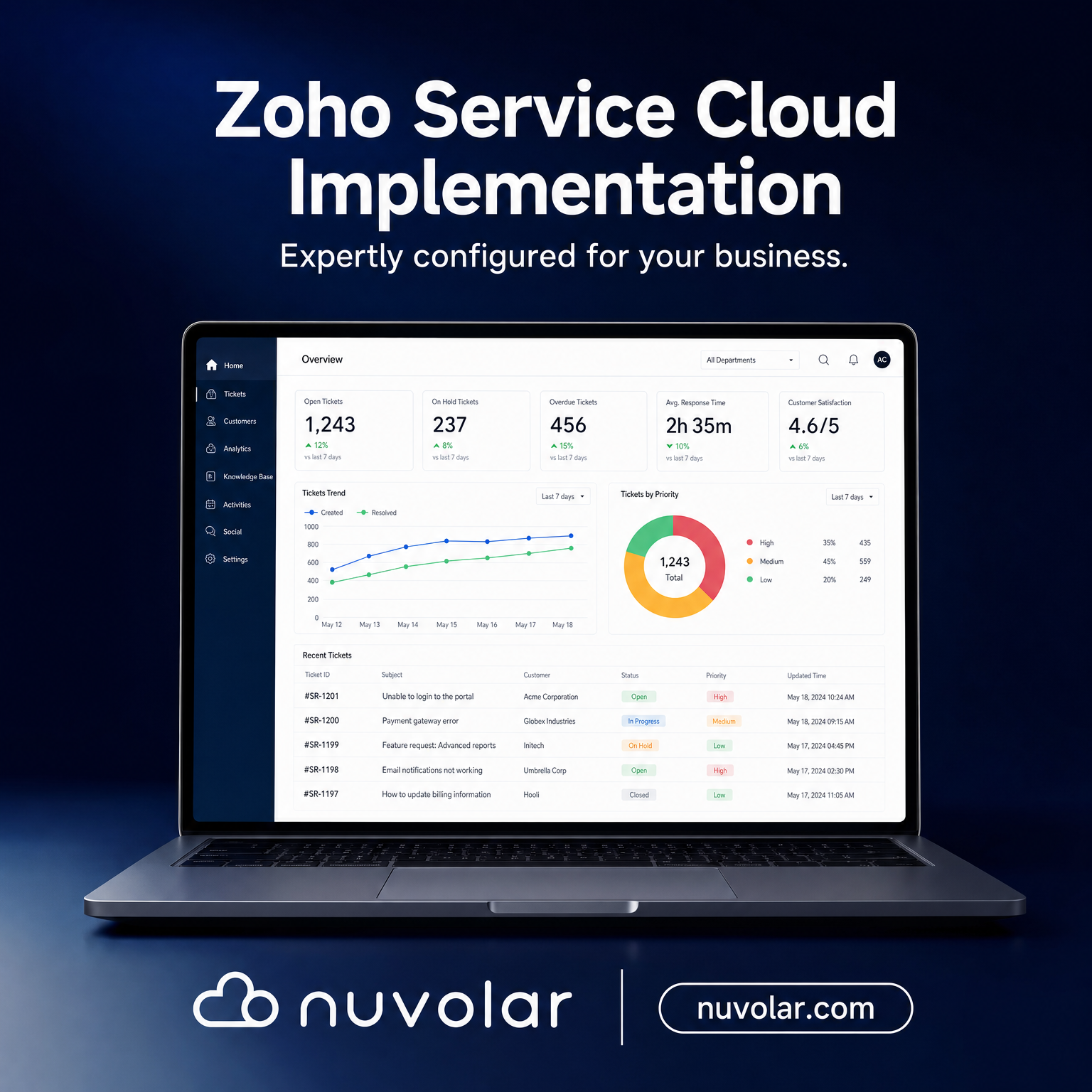
Zoho Service Cloud Implementation Use Case

A service team can close a ticket quickly and still create a poor customer experience if the agent cannot see the customer’s sales history, open orders, contracts, or prior issues. For leaders evaluating a Zoho Service Cloud implementation, the real question isn’t whether Zoho can handle tickets — it’s how Zoho Service Cloud works alongside Zoho CRM to turn disconnected support activity into a controlled, measurable service operation. PwC’s research on customer experience puts a number on what’s at stake: customers will pay more for a better experience, and walk away just as fast when service falls short.

What Zoho Service Cloud Means in Practice

“Zoho Service Cloud” is shorthand for a connected Zoho customer service environment, not one standalone product. In most deployments, Zoho Desk is the primary service workspace, handling email, live chat, phone, social channels, and self-service in one place, while Zoho CRM holds the customer, account, deal, and relationship context. Depending on the operating model, the ecosystem may also include Zoho Analytics, Zoho Flow, Zoho SalesIQ, Zoho Assist, and finance or ERP applications.

The value isn’t simply a shared customer record. It’s the ability to define how service requests enter the business, who owns them, what rules govern escalation, and how outcomes feed back into retention, renewal, product, and sales decisions.

For a mid-market organization evaluating Zoho customer service software, this matters because service complexity tends to outgrow headcount faster than expected. Email inboxes, spreadsheets, and individual agent memory can work at low volume. They become an operational risk the moment customers expect consistent response times, auditable records, or coordinated support across multiple teams.

How Zoho Service Cloud Works With Zoho CRM

Zoho Desk captures and manages the service interaction. A ticket can originate from email, a web form, live chat, phone, social channels, or a customer portal. The system identifies the contact and account, applies categorization rules, and routes the request to the right queue or agent.

The Zoho CRM–Desk integration gives the service team commercial context. An agent can see whether a customer is a high-value account, whether they hold an active contract, which products they own, and whether an opportunity or renewal is in progress. Sales and account teams, in turn, see material service issues without waiting on a manual status update.

Not every ticket needs to live in CRM as a full case record. The right design depends on reporting, regulatory, and account-management requirements. High-volume transactional support can stay primarily in Zoho Desk, while escalations, complaints, implementation risks, or strategic account issues sync to CRM for broader visibility and governance.

What a Zoho Service Cloud Implementation Actually Involves

A Zoho service implementation is a design project first and a configuration task second. Five stages generally define it:


  • Discovery and service taxonomy — map every request type your team handles today (billing, warranty, technical, complaint), and decide who owns each one and what SLA applies.
  • Blueprint and workflow configuration — Zoho Desk’s Blueprint engine turns that taxonomy into an enforced process, so a ticket can’t skip a required step or close without a resolution code.
  • Data model and integration — define the fields and objects Desk and CRM will share (contact, account, product, order), and connect any ERP, e-commerce, or field service system that also touches customer data.
  • Migration and testing — move historical ticket and account data, then test automation rules against real scenarios before agents ever see them.
  • Self-service and knowledge base setup — publish a searchable knowledge base and embed the ASAP widget in your product or site, so customers can resolve routine issues without opening a ticket at all.
  • Training, go-live, and optimization — agents adopt the new workspace, and admins tune routing rules and SLAs against the first weeks of real ticket data.


Skipping the discovery stage is the most common reason a Zoho service rollout underperforms: teams configure the software around whatever process already exists, instead of designing the process the business actually needs.

Process Flow for Service in Zoho CRM

Once implemented, a mature Zoho CRM service process runs through five stages:


  1. Intake and identification — a ticket is created and matched to the relevant contact, account, or product.
  2. Classification and prioritization — type, severity, region, and entitlement set the SLA, by rule rather than agent judgment.
  3. Routing and resolution — the ticket goes to the right team by skill, workload, or tier; agents work from knowledge articles and linked CRM data.
  4. Escalation and coordination — Blueprint automation creates tasks for engineering, operations, finance, or field service the moment a rule is triggered.
  5. Closure, feedback, and insight — the resolution code is logged, feedback is captured, and Zoho Analytics surfaces recurring issues and SLA trends.


Design for exceptions as carefully as for routine requests. An overdue reply on a strategic account might need an automatic escalation to an account director; a data-privacy request might need restricted access and a separate retention rule.

Use Case: Zoho Service Cloud for a Growing Distributor

An industrial equipment distributor with 85 employees and a growing installed base was running warranty claims, parts requests, and technical questions through personal inboxes. Sales reps were copied on urgent emails, but nobody had a reliable view of open issues or response times.


After implementing Zoho Desk integrated with Zoho CRM, an incoming email creates a ticket linked to the account and the specific equipment purchased. Warranty cases are prioritized automatically based on product status and routed to technical support. Parts requests trigger a task for operations, and commercial concerns become visible to the account manager inside CRM — no status-update email required.


Management now measures more than ticket volume: which customers have repeat failures, which products drive the most support demand, which accounts are approaching renewal with an issue still open, and which teams are missing their targets. That’s the point where service data starts informing revenue decisions instead of just recording activity.

Design Choices That Determine Adoption

Technology doesn’t fix a weak service model on its own. The most effective Zoho service environments start with a clear taxonomy: what request types exist, who owns each, what information agents need, and what outcomes get reported.

Integration design deserves the same early attention. If customer data lives across an ERP, e-commerce platform, field service system, and Zoho CRM, teams need one agreed source of truth for account details, products, orders, and history. Poor synchronization creates more confusion than a standalone help desk ever would.

Nuvolar treats this as an operating-model design exercise as much as a platform implementation. The goal is technology with intention: workflows that match how teams actually serve customers, with the visibility, controls, and scalability leadership needs.

A well-designed Zoho service operation makes the next action obvious for agents, makes accountability visible to managers, and makes customer risk visible before it becomes a renewal or reputation problem.


How to Clean CRM Data: A Step-by-Step Data Hygiene Blueprint

A ‌CRM ‌can ‌hold tens of thousands of records and still be a poor source of business intelligence. If nobody owns key accounts, the same contacts show up twice, and old leads sit in the middle of active pipelines, teams bleed hours and leadership stops believing the forecast. Knowing how to clean CRM data isn’t a “nice to have”, it’s necessary if you want clear operations and a real return on what you’re paying for.

In mid-market and enterprise settings, messy CRM data does damage well beyond rep efficiency. Forecasting shifts, territories get planned off the wrong inputs, retention work misses the mark, compliance gets risky, and analytics or AI outputs become unreliable. The point of cleansing isn’t to wipe a database clean, it’s to end up with information people trust and rules that keep it that way.

  1. Tie Data Governance to Business Outcomes

A cleanup effort often begins with a technical checklist: what’s missing, what’s duplicated, what’s formatted wrong. That matters, but it’s not the starting line. First decide what the business needs to be able to answer through the CRM:

Sales leadership needs a pipeline that’s correctly broken out by territory and market segment.

Customer success needs one coherent customer view that pulls together support history and conversations.

Compliance and legal need clear audit trails, consent tracking, and tight GDPR/CCPA retention controls.

Finance needs account structures that actually match billing realities and play well with ERP connections.

If you only polish records without fixing the process that creates the mess, you won’t get lasting value. Gartner’s research on data quality points to millions in yearly losses from weak data hygiene and the day-to-day friction it creates. Put business rules on paper first, then set up the CRM to enforce them.

2. Run a Real CRM Data Audit

Before any bulk updates or automated jobs, take a hard look at what’s in the system, object by object, including Accounts, Contacts, Leads, Opportunities, and any custom entities.

Review records by owner, age, completeness, and how often they’re used:

Are web forms sneaking past duplicate prevention rules?

Do accounts still belong to people who left the company?

Are older API connections skipping required fields?

Then sort fields into three buckets: what’s needed to run the business day to day, what’s needed for reporting or compliance, and what’s no longer used. Cutting dead custom fields reduces entry friction and usually lifts adoption more than teams expect.

3. Clean in an Order That Reduces Risk

Trying to fix every object and every connected app in one push is how you end up breaking processes while you clean them. Keep it staged.

Step A: Standardize field values Bring picklists and custom fields into alignment and lock down validation where it counts, phone formats, country codes, titles, lifecycle stages. Clear formatting standards, like those described in Salesforce’s data quality best-practice guidance, do a lot to keep errors from creeping back in.

Step B: Deduplicate where it matters most Large CRMs rarely have obvious “exact match” duplicates. You usually need fuzzy matching to catch small variations.

For Contacts, match on email, direct phone, and domain relationships.

For Accounts, match on company domain, tax IDs, parent-child structures, and billing addresses.

Step C: Enrich, archive, or remove inactive data Not every imperfect record should be deleted. Active accounts missing key details can be enriched with third-party sources. Older leads might belong in a marketing re-engagement track. And records with no retention purpose should be removed so the system stays manageable.

4.Block Bad Data at the Door

A one-time cleanup feels good, right up until the same mistakes flow back in. Most bad entries come from manual work, web forms, event imports, and connected marketing tools.

List every path data takes into the CRM, then tighten the controls:

Use progressive profiling on forms instead of demanding 15 fields on the first touch.

Run duplicate checks before third-party syncs create new contacts.

Set integration mappings so external apps can’t overwrite already-verified account details.

5. Assign Owners and Measure Data Health

Data quality is a business responsibility, not an IT side project. Give each domain a clear owner: Sales Ops owns opportunity stages, Marketing Ops owns lead source hygiene, Customer Service owns case categorization, and so on.

Keep score with a small set of metrics, similar to what HubSpot recommends in its data hygiene frameworks:

Duplicate record percentage (target: under 2%)

Bounced or invalid email rate (target: under 3%)

Unassigned or inactive lead percentage (target: 0%)

Required field completion rate (target: over 95%)

A Clean CRM That Holds Up Over Time A dependable CRM is maintained through routine, not hero projects. Schedule recurring duplicate reviews, watch integration logs, and make data accuracy part of onboarding and day-to-day expectations.

The best CRM isn’t the one with the biggest record count. It’s the one where revenue, support, and leadership can make decisions with confidence because the information in front of them is believable.

Which is better for enterprise teams: CRM migration or a rebuild?

When ‌a ‌sales ‌leader can’t rely on the forecast, something’s already off. Service teams end up guessing because customer history is scattered or missing. Ops keeps patching together spreadsheets since the CRM doesn’t match the way orders, approvals, or cases actually travel through the company. If that’s been the reality for a while, the question of CRM migration vs rebuild stops being a simple platform swap. It turns into a choice about day-to-day operating habits, data control, and how the business will grow without breaking.

In mid-market and enterprise settings, picking poorly either locks in years of messy processes or causes disruption that didn’t need to happen. Picking well takes a plain-eyed look at how the business really works, what shape the current CRM is truly in, and what the next stage of change has to produce.

CRM Migration vs Rebuild: Start With the Business Case

A CRM migration is about moving selected pieces, data, configurations, automations, integrations, users, from one environment into another. That might mean leaving a legacy tool behind for Salesforce or Zoho, pulling multiple CRM instances into one, or moving to a fresh Salesforce org after an acquisition. The underlying bet is straightforward: enough of what you have today is still worth carrying forward.

A rebuild starts from a different premise. The existing CRM becomes a set of lessons, not a template. Teams rework the data model, security, user experience, automation, reporting, and the integration approach based on what the future state requires. Historical data can still come along, or be retained, but the old setup doesn’t come “as-is” by default.

Neither option is automatically the winner. Migration is usually quicker when the core processes are in good shape and the main pain is platform limits, poor vendor fit, or accumulated technical debt. Rebuild is often the more prudent route when years of exceptions, unmanaged changes, duplicates, and quiet workarounds have made the CRM hard to believe.

The real question isn’t “Can we move it?” It’s “Do we actually want this to be part of the operating model we’re trying to scale?”

When Migration Is the Stronger Option

Migration tends to work best when the current CRM supports a stable business model and most users have a shared understanding of how work should flow. Picture a global sales org that needs to move off an aging platform and onto Salesforce but wants to keep an established account hierarchy, opportunity stages, territory rules, and approved integration patterns. Rebuilding every piece from scratch in that case slows down progress without fixing anything fundamental.

It can also be the sensible call after a merger or regional expansion when one environment has already proven itself. The goal might be standardizing on one CRM, bringing customer data together, and extending mature governance across multiple business units. Done well, migration speeds up that alignment, as long as the target setup can take in local requirements without splintering into a mess.

Still, a migration only works if you treat it like a controlled program, not a copy-and-paste exercise. Profile data before mapping it. Give every field, record type, automation, report, and integration a decision: migrate, transform, archive, replace, or retire. Dragging everything over just because it exists is one of the quickest ways to buy fresh technical debt.

Migration fits when the data model is intelligible, core processes are written down, custom work has clear purpose, and teams aren’t leaning heavily on shadow systems. It’s not a dodge around design work. It’s a way to keep what already functions.

When a CRM Rebuild Creates More Value

A rebuild earns its keep when the existing environment no longer matches how the organization sells, serves, fulfills, or manages risk. You’ll often see the warning signs: hundreds of fields, overlapping objects, automation no one owns, reports that disagree, and integrations that fail quietly. The system might still “run,” yet the business can’t trust it.

Industries with heavier controls feel this particularly strongly. Healthcare, life sciences, insurance, aviation, and financial services often need tight handling of consent, access rules, auditability, approvals, and customer interactions. If those needs were bolted on gradually over years, the original design might be too compromised to support them cleanly. Rebuilding can create a governed foundation instead of piling new controls on top of old shortcuts.

A rebuild also makes sense when leadership is changing the operating model itself. A manufacturer shifting from distributor-led sales to direct customer engagement, for example, doesn’t just need a few new fields and prettier dashboards. It needs a different customer data strategy, different service workflows, a different integration stance, and different ways to measure performance. Moving the old CRM into a new platform would simply carry the strategy-execution gap into a new address.

The cost is real, though. Rebuilds require deeper discovery, stronger executive backing, and change management that’s planned rather than improvised. You end up answering questions that have been avoided for years: who owns customer data, which process variants are legitimate, what metrics really define performance, and where flexibility stops. That can feel slower at the start, but it reduces the chance you end up delivering a shinier version of the same problem.

Evaluate the Decision Across Five Dimensions

This decision shouldn’t sit with IT alone, or sales leadership alone. A cross-functional group sees the full risk picture: technology, operations, data governance, compliance, finance, and frontline users all experience different failure modes. Review the current state through five lenses.

1. Process fitness

Start simple: does the CRM reflect documented, repeatable processes, or is it mainly a place where people log activity after the work was already done elsewhere? If pricing, approvals, case routing, or account planning depend on manual detours, you might be looking at process design issues more than platform limits. A rebuild gives space to rework those flows around outcomes and real user needs.

2. Data quality and ownership

Bad data alone doesn’t force a rebuild. Duplicates, missing values, and inconsistent formatting can often be addressed through a well-run migration effort. The bigger problem is ambiguity: when nobody agrees on customer definitions, account relationships, consent rules, or the system of record. Moving unclear data at scale just makes reporting, and future AI initiatives, less dependable.

3. Customization and technical debt

Customization should earn its place by supporting compliance, real differentiation, or measurable productivity. If the CRM is filled with code and automations nobody can explain, dependencies that prevent releases, or workflows built for an organization chart that no longer exists, rebuilding might be the safer move. Keeping legacy logic just because it’s familiar can become an expensive maintenance trap in the new environment.

4. Integration architecture

A CRM only delivers value in context, alongside ERP, service, marketing, commerce, finance, identity, and data platforms. Map integrations by criticality, direction of data flow, volume, error handling, and ownership. Migration is sensible when interfaces can be modernized without changing what they’re meant to do. Rebuild is the better choice when the integration landscape itself is creating conflicting customer data and fragile operations.

5. Adoption and change capacity

A perfect rebuild on paper can still fail if the organization can’t absorb big process shifts. Meanwhile, a migration can flop if it preserves an experience users already avoid. Look at adoption through behavior, not opinions: record completeness, time spent in the CRM, dashboard usage, workflow compliance, and the extent to which spreadsheets are still doing the real work. Then fit the delivery plan to how much change the organization can realistically take on.

Build a Phased Path Instead of Forcing a False Choice

Plenty of organizations don’t need a “pure” migration or a “pure” rebuild. A phased approach can keep the business running while building a stronger base. One unit might migrate quickly into a standard target environment, while another, especially one with heavier compliance or service complexity, goes through deeper redesign.

This works especially well in international companies where process maturity varies by region. A global model can establish shared customer definitions, security principles, integration standards, and reporting rules. Local teams can then apply approved variations where regulation or commercial realities make them necessary.

That balance needs to be designed in from day one. Lock in the target data model and governance model before moving records. Set explicit rules for what can be configured locally, what needs central review, and what must remain standard. Without that, the new CRM can turn into a pile of regional exceptions within a year.

A capable delivery partner can help separate genuine business requirements from inherited preferences. Nuvolar treats this work as technology with intention, blending process discovery, user-centered design, platform engineering, data strategy, and long-term support so the CRM stays useful after go-live.

Plan for Value Beyond Go-Live

No matter which route you pick, go-live isn’t the end. You need data quality monitoring, adoption tracking, release governance, training, and a practical operating model for ongoing improvement. Leave those out and even a well-built CRM will slowly collect new exceptions and unmanaged changes.

Define success in business terms before delivery starts. That might mean shrinking quote approval time, improving forecast confidence, increasing first-contact resolution, shortening onboarding, or giving compliance teams a reliable audit trail. Assign each metric a process owner and set a baseline. That keeps the effort tied to operational clarity instead of an ever-growing list of features.

The strongest CRM decision is the one that gives teams a system they can trust for what comes next, not the one that preserves the most from what came before.

DScaling Enterprise DevOps: A Strategic Framework for Speed, Security, and Reliability

A delayed software release is rarely just an engineering failure. It is usually the result of fragmented ownership, manual approvals, configuration drift, late-stage security checks, and operational silos. For technology leaders, executing DevOps for enterprise companies requires designing a modern delivery model that accelerates deployment velocity without sacrificing governance, compliance, or service uptime.

Achieving high-performing software delivery requires connecting modern paradigms into a unified strategy: Platform Engineering, DevSecOps, GitOps, and SRE.

1. Align the Operating Model Before Selecting DevOps Tools

DevOps is often defined simply as collaboration between development and operations teams. In complex, regulated environments, that definition falls short. A modern DevOps operating model must align engineering teams around measurable outcomes defined by DORA metrics:

  • Lead time for changes: Speed from commit to production.

  • Deployment frequency: How often code reaches production.

  • Change failure rate: Percentage of deployments causing outages.

  • Mean Time to Restore (MTTR): How quickly you recover from failure.

Before investing in a CI/CD pipeline, leadership must establish clear governance: Who owns service reliability? Which security controls are non-negotiable? How are audit trails maintained? In sectors like finance, healthcare, and logistics, software delivery speed must coexist with complete traceability.

2. Eliminate Friction with Platform Engineering & IDPs

As cloud-native architectures expand, developers spend far too much time navigating infrastructure provisioning, access requests, and inconsistent deployment scripts. Platform engineering solves this by treating developer infrastructure as an internal product.

An Internal Developer Platform (IDP) provides standardized, self-service paths—often called “paved roads”—for building, testing, deploying, and observing applications. Developer platforms reduce cognitive load while enforcing organizational compliance.

Key IDP Components & Operational Benefits

  • Pre-approved IaC Templates: Eliminates manual cloud resource provisioning.

  • Centralized Secrets Management: Enforces zero-trust access control automatically.

  • Standardized Observability: Ensures consistent logging, metrics, and tracing out-of-the-box.

3. Balance Velocity and Uptime: SRE vs. DevOps

While DevOps provides the cultural and procedural foundation for continuous delivery, Site Reliability Engineering (SRE) applies software engineering practices directly to operational challenges.

  • DevOps: Focuses on delivery velocity, culture, and continuous integration/delivery.

  • SRE: Focuses on operational implementation, reliability engineering, and system health.

SRE introduces pragmatic data-driven controls:

  • Service Level Indicators (SLIs) & Objectives (SLOs): Quantifiable metrics for tracking system health.

  • Error Budgets: A clear threshold balancing fast feature deployment against acceptable risk. If an error budget is depleted, feature rollouts pause to prioritize system stability.

4. Automate Security via DevSecOps and “Shift-Left” Testing

Integrating security checks late in the release cycle creates massive bottlenecks. DevSecOps embeds automated security scanning directly into the CI/CD pipeline.

By shifting security left, teams automatically scan code dependencies, Infrastructure as Code (IaC) files, and container images before deployment. However, effective shift-left security must prioritize actionable alerts over noise. Security automation must provide contextual remediation guidance to prevent alert fatigue and developer bypass behavior.

5. Achieve Auditability with GitOps and Declarative Pipelines

A GitOps workflow uses Git repositories as the single source of truth for infrastructure and application configurations. Automated agents continuously reconcile the live environment with the declared state stored in version control.

GitOps provides immediate operational advantages:

  • Zero Configuration Drift: Prevents manual, undocumented changes in production environments.

  • Instant Rollbacks: Restores prior working states instantly by reverting a Git commit.

  • Automated Audit Compliance: Provides an immutable audit trail for every code and infrastructure change.

6. Enhance Incident Response with AIOps and Observability

Modern AIOps platforms ingest logs, metrics, and distributed traces from platforms like OpenTelemetry to correlate anomalies and accelerate root-cause analysis during incidents.

While AIOps drastically cuts MTTR, human oversight remains essential—especially in high-stakes environments where data privacy or financial transactions are involved. The most effective implementation is human-guided:

  1. Telemetry Ingestion: Collect raw logs, metrics, and traces.

  2. Anomaly Correlation: AIOps isolates the root cause.

  3. Validation & Resolution: Engineers validate suggestions and execute fixes.

Building a Scalable DevOps Strategy

Transforming an enterprise delivery pipeline does not require a risky, top-to-bottom rewrite. The most effective approach starts by mapping a single end-to-end delivery path—identifying manual handoffs, approval delays, and compliance gaps. Resolving these localized friction points lays the groundwork for a scalable, secure, and highly resilient DevOps operating model.