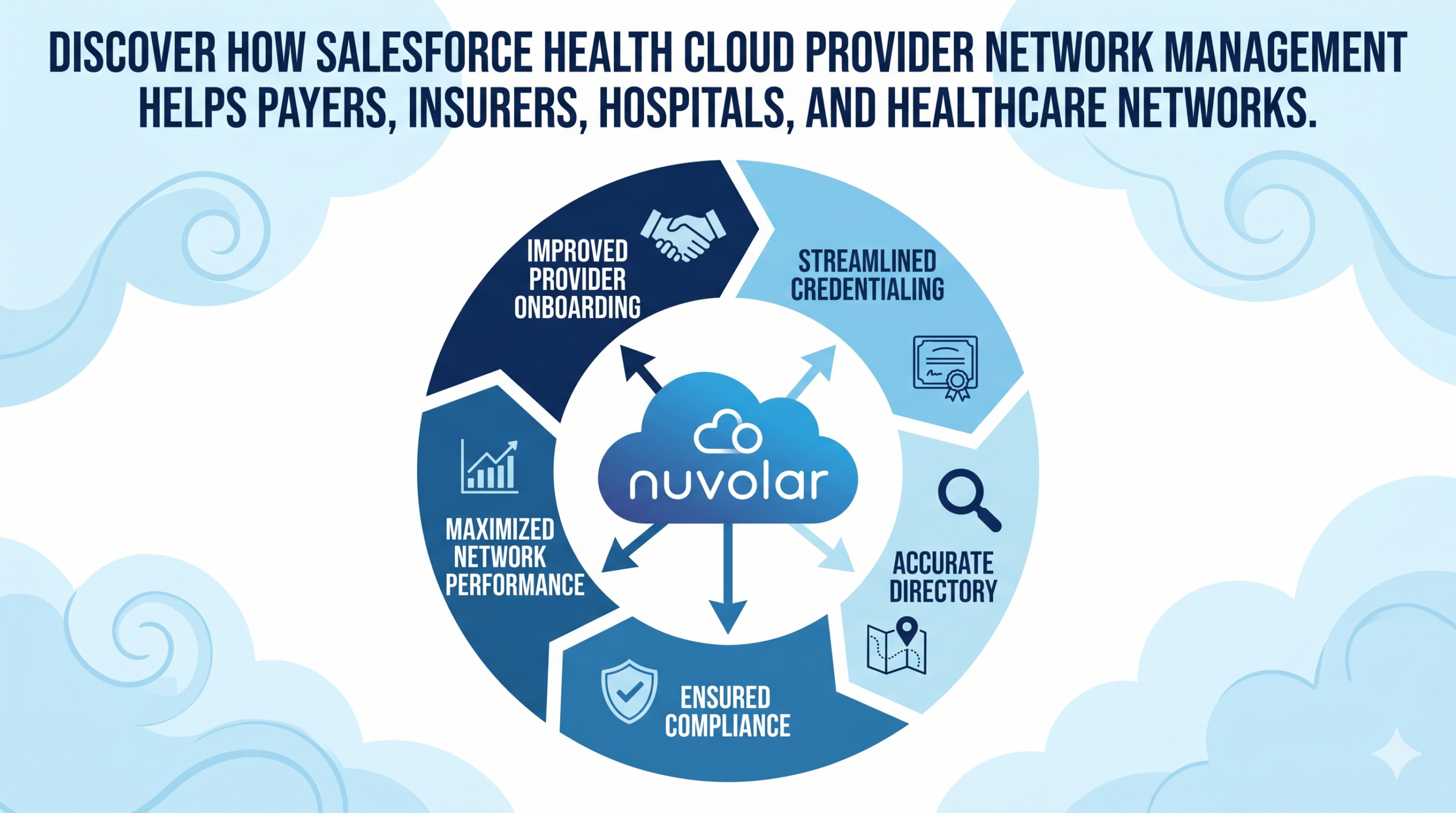
Health Cloud Provider Network Management: Real-Time Provider Data, Credentialing & Network Visibility

Healthcare organizations are under pressure to manage provider networks faster, more accurately, and with greater transparency. Payers, insurers, provider groups, hospitals, life sciences organizations, and healthcare administrators need reliable provider data, streamlined credentialing, better contracting workflows, and real-time visibility into network performance.

This is where Salesforce Health Cloud Provider Network Management becomes a strategic advantage.

Salesforce describes Provider Network Management as a Health Cloud capability that helps payers and provider groups enroll providers, build effective provider networks, and retain high-performing provider partners. It supports recruiting, credentialing, contracting, onboarding, self-service, and provider network adequacy workflows.


What Is Health Cloud Provider Network Management?

Health Cloud Provider Network Management is a Salesforce solution designed to help healthcare organizations manage provider relationships across the full lifecycle.

Instead of relying on spreadsheets, email chains, disconnected portals, and manual compensation or contracting cycles, organizations can centralize provider information in one cloud-based platform.

It helps healthcare teams manage:

  • Provider recruitment and enrollment
  • Credentialing and verification
  • Provider contracts and documentation
  • Network participation and affiliations
  • Provider directories and location data
  • Provider self-service updates
  • Network adequacy and performance visibility
  • Compliance-driven workflows

The Salesforce Health Cloud provider data model represents individual practitioners, healthcare facilities, provider specialties, credentials, certifications, licenses, education, payer networks, and facility networks. This creates a structured foundation for provider search, provider relationship management, and accurate network operations.

Why Provider Network Management Matters

Provider networks are complex. A single healthcare provider may work across multiple facilities, participate in several payer networks, hold different specialties, and require continuous credentialing updates.

When this data is fragmented, the impact is felt across the entire healthcare ecosystem.

Common challenges include:

  • Outdated provider directories
  • Slow provider onboarding
  • Manual credentialing processes
  • Disconnected contracting workflows
  • Limited visibility into network gaps
  • Difficulty proving network adequacy
  • Poor member and patient experience
  • Higher administrative costs

Provider directory accuracy is also a compliance and trust issue. Inaccurate provider data can affect access to care, costs, and patient experience. Industry research has also highlighted the heavy administrative burden placed on practices that must respond to directory update requests across many health plan contracts, platforms, and timelines.

Key Benefits of Salesforce Health Cloud Provider Network Management

1. A 360-Degree View of Provider Relationships

Health Cloud gives healthcare organizations a centralized view of providers, facilities, specialties, licenses, affiliations, contracts, and interactions. This improves collaboration across provider relations, operations, compliance, contracting, and member services teams.

2. Faster Provider Enrollment and Onboarding

Manual provider enrollment can be slow and error-prone. With automated workflows, digital forms, document collection, and task routing, Health Cloud can help reduce delays and improve provider onboarding experiences.

3. Better Credentialing and Compliance Workflows

Credentialing requires accurate, verified, and up-to-date information. Health Cloud helps teams track required documents, certifications, licenses, approvals, and renewal dates in one place.

This is especially valuable for health plans, hospitals, integrated delivery networks, dental networks, behavioral health networks, and specialty care organizations.

4. Improved Provider Directory Accuracy

Accurate provider directories help members find the right care, reduce service friction, and support regulatory expectations. Policy discussions around provider directory accuracy have highlighted the value of centralized provider directories as a single source of provider information distributed to participating health plans.

With provider self-service and connected data workflows, organizations can keep names, addresses, specialties, availability, locations, and network status more current.

5. Real-Time Network Visibility

Healthcare leaders need visibility into where the network is strong and where gaps exist. Health Cloud Provider Network Management can help teams evaluate:

  • Provider availability by geography
  • Specialty coverage
  • Facility participation
  • Credentialing status
  • Contract status
  • Network adequacy indicators
  • Provider performance trends

This supports better planning, faster decision-making, and improved member access.

High-Value Use Cases for Healthcare Organizations

Use Case 1: Health Insurance Payers

Health plans can use Salesforce Health Cloud to manage provider enrollment, credentialing, contracts, network participation, directory updates, and member-facing provider search.

Use Case 2: Provider Groups and Healthcare Systems

Provider groups can centralize practitioner records, facility relationships, licenses, specialties, locations, and operational workflows. This improves provider data governance and reduces duplicated administrative effort.

Use Case 3: Hospitals and Integrated Delivery Networks

Hospitals and IDNs can use Health Cloud to manage relationships across employed providers, affiliated physicians, facilities, departments, and specialty networks. This supports better care access, referral management, and organizational visibility.

Use Case 4: Dental, Vision, Behavioral Health, and Specialty Networks

Specialty networks often face complex credentialing, location, availability, and directory challenges. Health Cloud can help these organizations create structured provider records and improve operational efficiency.

Use Case 5: Provider Self-Service Portals

Provider self-service portals allow providers to update key information, submit documents, check status, and reduce back-and-forth communication. This improves provider satisfaction and helps payer teams reduce manual work.

How Health Cloud Supports Compliance and Network Adequacy

Network adequacy and provider directory accuracy are central operational concerns for healthcare payers. Regulations and industry expectations increasingly require health plans to keep provider information current, accessible, and reliable.

The No Surprises Act includes provider directory-related obligations, and published research notes that it requires corrective action for provider directory inaccuracies within 90 days of identification.

Salesforce Health Cloud helps organizations move from reactive data cleanup to proactive provider data management by connecting workflows, approvals, records, and reporting.

Why Manual Provider Network Management No Longer Works

Many healthcare organizations still manage provider data through legacy systems, spreadsheets, email inboxes, and manual review cycles. This creates operational risk.

Manual processes often lead to:

  • Duplicate provider records
  • Slow credentialing turnaround
  • Inaccurate directories
  • Delayed provider onboarding
  • Limited reporting visibility
  • Compliance gaps
  • Provider dissatisfaction

A modern provider network management platform gives teams a single source of truth and a scalable foundation for automation, AI, reporting, and digital engagement.

Where Nuvolar AI Can Help

Implementing Salesforce Health Cloud Provider Network Management is not only a technology project. It requires healthcare process expertise, Salesforce architecture, data strategy, integration planning, automation design, and change management.

Nuvolar AI helps healthcare and life sciences organizations design and implement Salesforce solutions that connect people, data, and workflows.

Our team can support:

  • Salesforce Health Cloud implementation
  • Provider Network Management configuration
  • Provider data model design
  • Credentialing workflow automation
  • Provider portal development
  • Integration with legacy healthcare systems
  • Data migration and data quality strategy
  • AI-powered healthcare workflow optimization
  • Salesforce Experience Cloud for provider self-service
  • Healthcare CRM consulting and managed services

Final Thoughts

Provider networks are the backbone of healthcare access. When provider data is inaccurate, disconnected, or manually managed, payers and healthcare organizations face higher costs, slower operations, compliance pressure, and poor member experiences.

Salesforce Health Cloud Provider Network Management gives healthcare organizations a modern way to manage provider relationships, credentialing, contracting, directory accuracy, and network visibility from a single platform.

For payers, hospitals, provider groups, and specialty networks, this is more than a CRM improvement. It is a step toward smarter healthcare operations, better provider experiences, and more accessible care.

Ready to Improve Your Provider Network Management?

If your organization wants to modernize provider onboarding, credentialing, directory management, or healthcare network visibility, Nuvolar can help you design and implement the right Salesforce Health Cloud solution. Contact us and ask for a demo. 


Salesforce Health Cloud Care Plan Management: Features That Improve Patient Care

Salesforce Health Cloud Care Plan Management: A Complete Guide

Healthcare is becoming more connected, personalized and data-driven. Yet many providers, payers and life sciences organizations still manage care through fragmented systems, manual follow-ups and disconnected patient information.

This is where Salesforce Health Cloud Care Plan Management can make a real difference.

With Salesforce Health Cloud, care teams can create, manage and track personalized care plans from one connected platform. Clinicians, care managers, coordinators and support teams gain a shared view of the patient or member, helping them collaborate more effectively and deliver better outcomes.

A well-managed care plan brings the right people, information and actions together, so nothing falls through the cracks.


What Is Salesforce Health Cloud Care Plan Management?

Care Plan Management in Salesforce Health Cloud helps healthcare organizations create structured, personalized action plans for patients or members.

A care plan can include:

  • Health problems or risks
  • Patient goals
  • Tasks and follow-ups
  • Care team members
  • Interventions and support actions
  • Progress tracking

Instead of relying on spreadsheets, emails or disconnected tools, Salesforce Health Cloud gives teams one place to coordinate activities and monitor the full patient journey.

Why Care Plan Management Matters

Modern healthcare is not only about treating conditions. It is about supporting patients across every stage of care.

Patients often interact with physicians, nurses, specialists, pharmacists, caregivers and insurance teams. Without a shared system, important details can be missed.

Salesforce Health Cloud Care Plan Management helps healthcare teams understand:

  • What the patient needs
  • Which goals have been defined
  • What tasks are pending
  • Who is responsible for each action
  • Whether the patient is progressing
  • When an intervention may be needed

This is especially valuable for chronic care management, population health, patient support programs, post-discharge care and complex case management.

Key Features of Salesforce Health Cloud Care Plan Management

1. Personalized Care Plans

Salesforce Health Cloud allows teams to create care plans tailored to each patient or member.

A care plan is not just a static document. It can evolve as the patient’s needs, risks and goals change. This helps healthcare teams move from generic care coordination to more personalized, patient-centered support.

2. Problems, Goals and Tasks

A strong care plan needs structure.

Salesforce Health Cloud organizes care plans around three key elements:

Problems: the health issues or risks that need attention.
Goals: the outcomes the patient and care team want to achieve.
Tasks: the specific actions needed to reach those goals.

For example:

Problem: High blood pressure
Goal: Reduce blood pressure to a healthier range
Tasks: Schedule a follow-up, review medication adherence and monitor readings weekly

This structure makes care plans easier to manage, track and act on.

3. Care Team Collaboration

Healthcare is a team effort.

Salesforce Health Cloud helps organizations connect everyone involved in the patient’s care, including clinicians, care coordinators, family caregivers and support teams.

This improves communication, reduces duplicated work and gives every team member better visibility into responsibilities and progress.

4. Patient and Member 360 View

A care plan is only as useful as the data behind it.

With Salesforce Health Cloud, teams can access a more complete Patient 360 view, bringing together relevant clinical and non-clinical information.

This helps care managers understand the patient’s context before taking action, supporting better decisions and a more connected patient experience.

5. Task Tracking and Follow-Up

One of the most practical features of Salesforce Health Cloud Care Plan Management is task tracking.

Care teams can see what has been completed, what is overdue and what still needs attention. This helps reduce missed follow-ups, delayed interventions and gaps in care.

For organizations managing large patient populations, this visibility is essential.

6. Templates for Repeatable Care Plans

Many healthcare organizations manage similar care pathways again and again.

Salesforce Health Cloud supports care plan templates, allowing teams to create reusable structures for common programs such as:

  • Diabetes management
  • Hypertension management
  • Post-discharge follow-up
  • Oncology patient support
  • Medication adherence
  • Preventive screening campaigns

Templates help standardize best practices while still allowing care teams to personalize each plan.

Benefits for Healthcare Organizations

Salesforce Health Cloud Care Plan Management can help healthcare and life sciences organizations improve both patient experience and operational efficiency.

Key benefits include:

  • Better care coordination across teams and departments
  • Improved patient engagement through clear goals and next steps
  • Increased operational efficiency by reducing manual coordination
  • More consistent care delivery through structured templates
  • Earlier risk identification through task and progress tracking
  • Stronger decision-making with connected patient data

Common Use Cases

Salesforce Health Cloud Care Plan Management can support a wide range of healthcare use cases, including:

  • Chronic care management
  • Patient support programs
  • Post-acute care coordination
  • Preventive care campaigns
  • Population health management
  • Behavioral health support
  • Payer care management
  • Medication adherence programs
  • Complex case management
  • Home health coordination

For example, a pharmaceutical patient services team could use Health Cloud to manage onboarding, patient education, treatment adherence and follow-up activities. A provider network could use care plans to coordinate care across multiple specialists.

Best Practices for Implementation

To get the most value from Salesforce Health Cloud, organizations should align technology with real care processes.

Start by identifying the patient journeys or care programs that need the most structure. Then define the key problems, goals, tasks, stakeholders and data sources involved.

Recommended best practices:

  • Define clear care plan templates
  • Standardize common goals and tasks
  • Keep workflows simple for care teams
  • Integrate relevant patient and member data
  • Train users on task and care plan updates
  • Monitor care plan adherence
  • Review and improve care plans over time

A strong Salesforce Health Cloud implementation partner can help configure the platform around real operational needs, not just technical requirements.

Final Thoughts

Salesforce Health Cloud Care Plan Management helps healthcare organizations deliver more coordinated, personalized and measurable care.

By connecting patient data, care teams, goals, tasks and insights in one platform, Salesforce Health Cloud gives providers, payers and life sciences companies a stronger foundation for modern care coordination.

For organizations looking to improve patient engagement, care coordination, healthcare CRM processes and digital transformation in healthcare, Salesforce Health Cloud offers a powerful way to modernize how care is managed.

Talk to our Salesforce Health Cloud experts.

Salesforce SPM: Use Cases, Implementation Timeline, and ROI (Part 2 of 2)

Is Salesforce SPM Right for Your Organization?

In Part 1 of this Salesforce SPM series, we explored what Salesforce Sales Performance Management is, how the different products work, and why expert Salesforce consulting matters.

But you still might be wondering: Is Salesforce Sales Performance Management right for my organization? When does the ROI actually justify the investment? How long does Salesforce SPM implementation take? And what should we expect to invest?

This Part 2 answers those questions. We’ll explore real-world use cases, help you determine if Salesforce SPM fits your company size and industry, break down implementation timelines and budgets, and discuss the actual ROI you can expect.


Who Needs Salesforce SPM? Company Size Analysis

Not every organization needs Salesforce SPM. Here’s where it makes sense:

Startups (1–50 employees) — Not yet. Your sales process isn’t complex enough. Basic Sales Cloud with simple commission tracking is sufficient. Revisit when you hit $5M+ ARR with 20+ reps on multiple compensation structures.

Growth-stage (50–250 employees) — This is the inflection point. SPM starts making financial sense when commission calculations consume 30+ hours/month, forecasts are off by 15%+, and spreadsheets can’t keep up. Expect 12–18 months to payback on a $200–450K Year 1 investment.

Mid-market (250–1,000 employees) — Highly recommended. At this scale, the cost of not implementing SPM — errors, attrition, forecasting gaps — typically exceeds the investment. Payback: 6–12 months. Investment: $400K–$1M Year 1.

Enterprise (1,000+ employees) — Essential. Compliance, multi-currency support, board-level forecasting, and ERP integration make centralized SPM non-negotiable. Payback: 4–8 months. Investment: $1.1M–$3M+ Year 1.


5 Problems Salesforce SPM Solves

Use Case 1: “Our Commission Calculations Are Killing Finance”

The Situation

Your finance team spends 40+ hours per month calculating commissions using spreadsheets. Multiple people are involved. Errors happen. Salespeople dispute payouts. Finance is exhausted.

The Business Impact

  • Month-end close is delayed by days or weeks
  • Commission disputes create HR escalations
  • Finance team burnout is high
  • Errors undermine trust in the compensation system
  • Errors cost thousands in overpayments or missed payouts

How Salesforce SPM Solves It

Salesforce Incentive Management automates commission calculations entirely. Finance inputs rules once; the system applies them consistently to every salesperson, every month, every year.

The Transformation

  • Commission processing drops from 40 hours to 4 hours per month
  • Calculation errors drop by 95%+
  • Finance team has time for strategic analysis instead of manual calculations
  • Salespeople trust the system because calculations are consistent and auditable
  • Month-end close accelerates significantly

Typical Results: 30-50 hours per month freed up in finance, 95%+ reduction in commission disputes, 100% calculation accuracy

Company Size This Affects Most: 50+ salespeople, multiple commission structures

Payback Period: 6-12 months


Use Case 2: “We Can’t Forecast Revenue Accurately”

The Situation

Every quarter, your forecast is wrong by 15-25%. You can’t predict cash flow. Investors get frustrated. Leadership makes decisions based on guesses, not data.

The Business Impact

  • Cash flow surprises create financial challenges
  • Board and investor confidence erodes
  • Hiring and resource planning are inaccurate
  • Strategic decisions lack data foundation
  • For public companies, this affects stock price and credibility

How Salesforce SPM Solves It

Salesforce Analytics Cloud integrates with your Sales Cloud data to provide real-time revenue forecasting with predictive models that achieve 90%+ accuracy. The system leverages:

  • Pipeline data and deal probability
  • Historical performance patterns
  • Real-time sales activity and pipeline velocity
  • Seasonal trends and cycles
  • Territory and rep-specific performance

The Transformation

  • Forecast accuracy improves from 75-80% to 90%+
  • Cash flow becomes predictable
  • Leadership makes confident strategic decisions
  • Investors have confidence in guidance
  • Resource planning is accurate

Typical Results: 20-25% improvement in forecast accuracy, better cash flow management, improved investor/board confidence

Company Size This Affects Most: Any size, but especially enterprises and venture-backed companies where forecasting directly impacts investor relations

ROI: For a $100M revenue company, a 15% improvement in forecast accuracy can represent $15M in better-managed cash flow.


Use Case 3: “Salespeople Don’t Understand Their Compensation”

The Situation

Your sales team doesn’t understand how their compensation is calculated. They feel quotas are unfair. Turnover increases. You lose top talent to competitors.

The Business Impact

  • Sales team morale is low
  • Top performers leave for competitors
  • Recruitment and onboarding costs skyrocket
  • Productivity suffers due to lack of motivation
  • Compensation disputes are constant
  • Trust in management erodes

How Salesforce SPM Solves It

Salesforce Incentive Management provides transparent, real-time visibility into compensation. Every salesperson can log in and see:

  • How much they’ve earned year-to-date
  • Progress toward their quota in real time
  • What they need to do to hit their targets
  • Exactly how each deal contributed to their earnings
  • Comparison to peers (if your plan allows it)

The Transformation

  • Sales team understands compensation and trusts the system
  • Transparency drives motivation
  • Top performers feel valued and stay
  • New hires onboard faster because they understand the plan
  • Compensation disputes drop dramatically

Typical Results: 10-20% improvement in sales productivity, 25-35% reduction in turnover, significantly improved sales team engagement

Company Size This Affects Most: 30+ salespeople, any compensation complexity level

Payback Period: 3-6 months (through reduced turnover and improved productivity)


Use Case 4: “Territory Assignments Create Constant Conflict”

The Situation

Account assignments are constantly disputed. Top salespeople hoard high-value accounts. Junior reps get stuck with unprofitable territories. Compensation feels unfair.

The Business Impact

  • Constant account assignment conflicts
  • Senior reps leave for competitors (taking accounts with them)
  • Junior reps never get a fair chance to succeed
  • Compensation disputes and HR escalations
  • Team cohesion suffers
  • Overall morale and productivity decline

How Salesforce SPM Solves It

Salesforce Territory Management uses algorithms to create balanced territories based on account value, geography, salesperson capacity, and fairness metrics. Every account is assigned systematically and transparently.

The Transformation

  • Territory assignment conflicts are eliminated
  • Territories are fair and balanced
  • Every salesperson has equal opportunity to succeed
  • Process is transparent (salespeople understand why they got their territory)
  • Team cohesion improves
  • Turnover drops

Typical Results: Elimination of account assignment conflicts, fair territory distribution, 20-30% reduction in turnover, significantly improved team cohesion

Company Size This Affects Most: 50+ field salespeople with account-based sales

Payback Period: 6-12 months (through reduced turnover and improved morale)


Use Case 5: “We’re Growing Fast and Systems Can’t Keep Up”

The Situation

Your company is scaling rapidly. You’re hiring salespeople monthly. Your legacy compensation system can’t scale. You need a modern, cloud-based Salesforce Sales Performance Management platform.

The Business Impact

  • Manual processes slow down hiring
  • New salespeople aren’t integrated into compensation systems quickly
  • Territory planning is impossible at scale
  • Scaling your sales operations requires hiring additional finance and ops staff
  • Growth is constrained by operational complexity

How Salesforce SPM Solves It

Salesforce Sales Performance Management scales automatically with your business. Add new salespeople, adjust compensation plans, and rebalance territories—all without hiring additional operations staff. The cloud-based system handles 50 salespeople or 5,000.

The Transformation

  • Sales operations scale without adding headcount
  • New hires are integrated into compensation systems immediately
  • Territory planning is quick and systematic
  • Territory rebalancing happens as needed, not annually
  • Growth is no longer constrained by operational complexity

Typical Results: Sales operations scale without adding headcount, faster time-to-quota for new hires, 20-40% reduction in operations overhead

Company Size This Affects Most: Any company in rapid growth mode (adding 20%+ more salespeople annually)

Payback Period: Ongoing (prevents hiring additional staff, which would cost $200K+/year per person)


Implementation Cost and Timeline

Scope Team Size Duration Consulting Licensing (Yr 1) Total Yr 1
Small 50–100 3–4 months $60–100K $30–50K ~$90–150K
Medium 100–300 5–7 months $150–300K $75–150K ~$225–450K
Large 300+ 8–12 months $300–600K $150–300K ~$450–900K
Enterprise 1,000+ 12–18 months $600K–$1.5M+ $300K–$1M+ ~$900K–$2.5M+

Annual licensing runs $225–575/user/month across Sales Cloud, Incentive Management, Territory Management, and Analytics Cloud.


ROI: What Value Does SPM Actually Deliver?

For a 100-person sales organization, the annual benefit typically reaches $1.5M–$2.5M:

Driver Annual Value
Admin time savings ~$60K
Commission dispute reduction ~$18K
Forecast accuracy improvement ~$750K
Sales productivity uplift ~$300K
Reduced turnover ~$750K
Ops headcount avoided $150–500K+

Industry Snapshot

  • SaaS/Software — 6–10 months, $250–600K. Primary benefit: forecasting accuracy and scalable comp.
  • Financial Services — 9–15 months, $500K–$1.5M. Primary benefit: compliance and audit trails.
  • Enterprise Software — 8–14 months, $400K–$1.2M. Primary benefit: territory fairness, dispute elimination.
  • Pharma/Medical Device — 10–16 months, $600K–$2M. Primary benefit: regulatory auditability.

Choosing the Right Implementation Partner

The technology is only half the equation. The right partner makes the difference.

Green flags: 100+ SPM implementations, certified Salesforce architects, compensation design expertise, dedicated change management, industry references, post-go-live support.

Red flags: No change management capability, unrealistic timelines, no comparable references, disappears after go-live.

A Salesforce SPM implementation is a $100K–$2M+ investment. Working with an official Salesforce partner doesn’t guarantee success, but it does guarantee a minimum bar: certified architects, proven methodology, and accountability to Salesforce’s own standards. Not just their word.


Your 4-Step Decision Framework

  1. Quantify your pain — How many hours does commission admin consume? What’s your forecast accuracy gap?
  2. Model your ROI — Apply the value table above to your actual numbers.
  3. Assess readiness — Do you have exec sponsorship, budget, and cross-functional alignment?
  4. Talk to an expert — A proper discovery process validates your business case before you commit.

Key Takeaways

  • SPM makes financial sense at 50+ salespeople. It’s essential at 250+.
  • Mid-market organizations typically see $2M+ in annual benefits within 12 months.
  • Payback ranges from 4 months to 18 months depending on scale.
  • Expert consulting and change management are what separate successful implementations from failed ones.

This is Part 2 of a two-part series. Read Part 1: Salesforce SPM — What It Is and How It Works


Salesforce SPM: What It Is and How It Works (Part 1 of 2)

What Is Salesforce Sales Performance Management (SPM)?

If you’ve searched for “Salesforce SPM” or “sales compensation software,” you’ve probably seen the term everywhere, but not always a clear explanation.

Salesforce Sales Performance Management (SPM) is a suite of tools that helps companies automate sales compensation, manage territories, and improve forecasting, all within the Salesforce ecosystem.

In this article, we’ll break down what Salesforce SPM is, what it includes, and why more companies are adopting it.


The Problem Salesforce SPM Solves

As sales teams grow, managing compensation and performance becomes increasingly complex.

Most organizations still rely on spreadsheets and manual processes. This typically leads to:

  • Hours spent calculating commissions every month
  • Frequent errors and disputes
  • Limited visibility for sales teams
  • Unbalanced territories and missed opportunities
  • Inaccurate revenue forecasts

These issues slow down operations and make it harder to scale.

Salesforce SPM addresses this by centralizing and automating these processes, improving accuracy, transparency, and efficiency.


What Is Salesforce SPM? (Simple Explanation)

At its core, Salesforce SPM helps you:

  • Automatically calculate commissions based on defined rules
  • Assign territories using data instead of manual decisions
  • Track performance and compensation in real time
  • Improve forecast accuracy using CRM data
  • Scale operations without increasing administrative workload

Instead of relying on spreadsheets, everything is managed in a single, connected system.


What Does Salesforce SPM Include?

Salesforce SPM is not a single product, but a combination of tools that work together:

1. Incentive Management

Automates commission calculations and provides full visibility into earnings and performance.

Why it matters:
Reduces manual work, eliminates errors, and builds trust with sales teams.


2. Territory Management

Distributes accounts and territories based on data, capacity, and opportunity.

Why it matters:
Ensures fair allocation and avoids conflicts between sales reps.


3. Sales Cloud

Acts as the central source of data, including opportunities, accounts, and pipeline.

Why it matters:
SPM relies on accurate CRM data to function properly.


4. Analytics (Forecasting & Insights)

Provides dashboards and predictive forecasting based on real-time data.

Why it matters:
Helps leaders make informed decisions and anticipate risks.


How Salesforce SPM Works

A typical implementation by an expert consultancy would follow these steps:

  1. Plan design
    Define compensation structures, quotas, and territory rules.
  2. System configuration
    Set up rules, dashboards, and integrations in Salesforce.
  3. Data preparation
    Clean and organize sales, account, and compensation data.
  4. Testing and validation
    Ensure calculations and assignments are accurate.
  5. Deployment and training
    Prepare teams to adopt the new system.
  6. Ongoing optimization
    Continuously refine plans and performance tracking.

A structured approach is critical to avoid rework and ensure adoption.


Salesforce SPM vs. Manual Processes

Here’s how Salesforce SPM compares to traditional spreadsheet-based management:

Area Manual Approach Salesforce SPM
Commission calculation Time-consuming and error-prone Automated and Accurate
Transparency Limited visibility Real-time insights
Territory planning Manual and subjective Data-driven and fair
Forecasting Based on estimates Based on real data
Scalability Difficult to mantain Easily scalable

Result: less manual work, fewer errors, and better decision-making.


Common Mistakes in SPM Implementation

Many companies struggle with SPM not because of the technology, but because of how it’s implemented.

The most common mistakes include:

  • Starting implementation before defining compensation plans
  • Using poor-quality or incomplete data
  • Underestimating change management and training
  • Automating inefficient or outdated processes
  • Not planning integrations with other systems

Avoiding these pitfalls is key to getting real value from SPM.


When Should You Consider Salesforce SPM?

Salesforce SPM is especially relevant if:

  • Your finance team spends too much time on commission calculations
  • Your compensation structure is complex
  • You have frequent disputes about commissions or territories
  • Your forecasts are unreliable
  • You’re scaling your sales team

If several of these apply, it may be time to explore a more automated approach.


What’s Next

In Part 2 of this series, we’ll cover:

  • Real use cases and examples
  • Implementation timelines and costs
  • How to evaluate if SPM is right for your business
  • What to look for in a consulting partner

Get Started with Salesforce SPM

Thinking about improving how you manage sales performance?

Start with a simple assessment of your current processes and identify where automation could have the biggest impact.

If you want a clearer picture of how Salesforce SPM would work in your organization, the next step is to evaluate your specific needs and challenges. Get started with Salesforce SPM!

Salesforce Spiff: How to Automate Commissions and Motivate Your Sales Team

Eliminate manual errors, increase transparency, and scale without operational stress

How many hours does your sales and finance team spend reconciling commissions in spreadsheets? How many payment disputes have damaged relationships with your top performers?

If these questions hit home, you’re not alone. Most growing companies still manage sales incentives with Excel, emails, and manual processes. And when it’s time to scale, this operational chaos becomes a real bottleneck.

In episode 4 of NuvoTalks, Marc-Anthony Padula, Managing Director of  the Consulting entity, and Veronica Recanati, Senior Cloud Executive EMEA South at Salesforce, dove deep into how Salesforce Spiff transforms commission management. Here’s everything you need to know.

 What Is Salesforce Spiff?

Spiff is Salesforce’s native solution for managing sales incentive plans (SPM). It’s not a third-party add-on or a tool that requires expensive integrations. It’s a product built directly into the Salesforce cloud, designed to automate the entire commission cycle.

But here’s the catch: Spiff isn’t for every company. It’s built for sales teams that need:

  • Complex commission structures (multiple products, territories, conditional bonuses)
  • Scalability (growth without operational pain)
  • Real-time transparency (reps know exactly what they’ll earn)
  • Absolute precision (zero calculation errors)


The 4 Pillars of Spiff: Why It Transforms Your Business

1. Efficiency and Precision: Say Goodbye to Excel

Manual commission management has a hidden cost that most companies overlook. It’s not just the hours your teams spend on calculations and reconciliations. It’s also the risk of errors.

A 2% calculation error in commissions for 50 reps doesn’t sound significant. Until you factor in months of audits, payment disputes, and lost trust. Spiff eliminates this risk automatically:

  • Automatically calculates commissions based on rules you define
  • Applies bonuses, deductions, and adjustments without manual intervention
  • Generates complete audit reports (your CFO will love this)
  • Flags anomalies before they become problems

2. Sales Motivation: Visibility Drives Performance

This is where Spiff creates real impact on your business numbers.

When your sales team can see in real time how much money they’ll earn on each deal, behavior changes. It’s not magic. It’s applied psychology.

Spiff gives each rep a personal dashboard where they can:

  • Track their progress against commission targets
  • Calculate the financial impact of each deal
  • Understand exactly how their incentive plan is structured


Transparency doesn’t just boost motivation. It also reduces friction between sales and finance.

3. Scalability: Grow Without Operational Chaos

When a company grows from 5 reps to 50, Excel breaks. You need:

  • Multiple territories and assignment geometries
  • Different plans for different deal types (SaaS, services, implementations)
  • Monthly adjustments without losing control
  • Complete auditability for regulatory compliance


Spiff is built specifically for this scenario. You can add reps, products, and business rules without breaking anything. The architecture supports complexity without operational friction.

4. Native Salesforce Integration

Unlike external tools that require complex syncs, Spiff lives inside Salesforce. This means:

  • Data flows automatically from Opportunities to commissions
  • No delays or discrepancies between your CRM and commission system
  • Salesforce’s security and permissions protect commission data
  • Everything lives in one place (fewer tools, less complexity)


Who Should Implement Spiff?

Spiff isn’t for everyone. It’s especially relevant if your company:

  • Has 20+ sales reps
  • Manages multiple deal types with different commission structures
  • Is growing quickly and needs to scale operations without expanding the finance team
  • Already uses Salesforce and wants native integration (no plugins)
  • Suffers from frequent payment disputes or lack of transparency

If your sales team fits in a single Excel sheet with one commission structure, Spiff is overkill. But if you’ve seen Excel break under pressure, Spiff is the answer.

The 3 Mistakes Companies Make (And How Spiff Fixes Them)

Mistake 1: Managing Commissions Manually While Scaling

Most growing companies wait until the pain is unbearable before switching. Then they rush the implementation, cut corners, and the project fails.

Spiff works best when you implement it as part of your scaling strategy, not as an emergency patch.

Mistake 2: Not Communicating Commission Rules Clearly

If your team doesn’t understand how commissions are calculated, they can’t optimize their selling behavior. Spiff solves this by giving them transparency, but you need to ensure the rules are crystal clear from day one.

Mistake 3: Implementing Spiff Without Reviewing Your Incentive Plan

Spiff automates what you already do. If your commission plan is poorly designed, Spiff just automates the chaos.

Real value comes from rethinking your incentives while implementing the tool. Are your commissions aligned with business objectives? Do they motivate the behavior you actually want? Answer these questions before Spiff, not after.

From Salesforce’s Perspective

According to Veronica Recanati in the episode, Spiff addresses a specific problem: most companies have rich CRM data but don’t leverage it to drive sales behavior.

Spiff closes that gap. It takes deal data from Salesforce and translates it directly into commissions. This means your incentive plan is connected to your real pipeline in real time.

When Should You Implement Spiff?

Short answer: as soon as you have a scaling problem, it should be on your roadmap.

Long answer: it depends on your situation. But if you recognize any of these symptoms, it’s probably time to talk to a specialist:

  • Excel has become your primary commission management tool
  • Sales and finance don’t trust the commission numbers
  • Changes to your incentive plan require days of manual work
  • Your CFO is pushing for automation because manual work doesn’t scale
  • You’re planning to enter new markets or add new product lines


The Next Step: Nuvolar + Spiff

If Spiff is on your radar but you’re not sure where to start, you’re not alone. Correct implementation requires understanding:

  • Your current commission architecture (how it works today, what’s broken)
  • The business rules to automate (what needs to live in Spiff)
  • Organizational change (how to train your team on the new tool)
  • Salesforce integration (how data flows, how to ensure accuracy)


At Nuvolar, we’ve guided teams through this transformation. We know where the pitfalls are, what questions to ask, and how to design a commission plan that works with Spiff—not against it.

If you want to see Spiff in action or discuss how it could work in your specific context, we’re running a live webinar where we’ll demonstrate Spiff functioning in a real sales scenario.

Register here: https://meet.zoho.eu/uzxi-pdy-fhw

The Bottom Line

Salesforce Spiff isn’t just another tool. It’s the bridge between your business objectives and your sales team’s behavior. It automates the tedious work, brings transparency to what was opaque, and scales what worked on a smaller level.

The question isn’t whether you should implement Spiff. It’s: how long can you afford to wait?


Published by Nuvolar Consulting

We create intelligent digital solutions built on data, artificial intelligence, and human expertise. If your company faces operational scaling challenges or needs Salesforce expertise, let’s start a conversation.