
8 Digital Transformation Strategy Examples

The ‌conversation ‌around ‌real transformation tends to start after a CRM rollout flops, spreadsheets patched together and three teams each defining the same customer their own way, we have all seen this sort of thing. Leaders searching for digital transformation strategies want patterns that lower risk, set priorities straight and tie technology choices to business results one can actually measure. Nuvolar works on exactly that, backing leaders through those decisions.

Strong strategies grow from business friction, slow service delivery or poor visibility, inconsistent data, compliance pressure, systems that fail to support growth, rather than trendy tools, even if some think otherwise. That is why the most useful examples show how companies align their operating model with platforms, people and governance, software selection aside.

What strong digital transformation strategy examples have in common

Transformation ‌strategies ‌that ‌work across fields often start from the same place. A real operational issue sits at the core, not some loose idea about updating everything. You figure out exactly what you need and want right away. Then comes pinning down what improvement actually means on the ground: things like faster cycles, better data, more people using the system, less manual work, forecasts you can trust, or rules followed properly. Trade offs get spotted before they bite.

You push for speed yet skip the checks and end up fixing things twice over. Standardizing helps things grow but push too hard and key processes snap. AI boosts how much gets done, sure, provided the data underneath holds up. Strong plans lay those choices out in plain sight.

 1. CRM consolidation to create a single commercial operating model

Commercial ‌fragmentation ‌sets ‌most digital transformation efforts in motion, and the same pattern shows up in company after company. Sales sticks with its own system, service clings to another, operations patches gaps using spreadsheets that nobody quite believes. Records duplicate without end. Processes clash from one department to the next.

What comes next surprises nobody, users stop trusting the data, reports give only half the picture, customers feel the mess even when they cannot put a name to it.Moving everyone into a single CRM fixes little by itself.

A real strategy reaches further, it reshapes how leads move forward, decides who owns accounts, reworks service workflows, and chooses the numbers leaders actually track. Teams must settle the basics first. When does an opportunity count as ready? How does one log a call, an email, a complaint? What figures reach the executive dashboard, and why those figures?

The value is not simply better visibility. It is a commercial model that scales. For enterprise and mid-market organizations, especially those [using Salesforce or Zoho](https://nuvolar.com/picking-the-right-salesforce-consulting-partner-for-your-business-a95ba2585cc4/), this approach can improve forecast accuracy, reduce handoff failures, and give revenue leaders a more credible operating picture.

 2. Workflow automation in compliance-heavy environments

In ‌sectors ‌heavy ‌on rules, from healthcare through insurance and on to aviation or life sciences, change often kicks off right where snags meet the weight of oversight and compliance. Approvals stack up by hand; papers get hunted down from one team to the next; records of checks sit apart, unlinked. Things slow down, and risks grow.

A better route opens up when automation of flows gets built with oversight right from the start. Instead of just layering new systems over broken steps, groups map out choices first, lock in what must be controlled, then set auto skips where rules allow. Routing for signs off, handling of cases, checks on papers, all get formed so that pace and responsibility stay together, neither lost to the other.

Success or stall often hangs on this point. Push only for quicker steps and watch the compliance side push back hard. Load too many checks in and people slip around them, finding side paths past the setup you planned with care. The steadier choice makes oversight feel natural inside how folks work day to day; not added later as an extra gate, not a separate stop. It becomes the way the tasks move along.

3. Data unification for operational clarity

Many ‌organizations ‌wind ‌up with dashboards everywhere yet few choices actually taken from them. Data sits split across ERP platforms, CRMs, support tools, finance systems and departmental trackers; leaders argue over whose figures hold up instead of moving forward with them. Clean consistent data remains the only workable path when AI enters the picture. Building one shared data setup around core decisions counts among stronger moves in shifting how firms handle information.

Aligning customer records, product details, claims, patient files, supplier info or service entries across tools lets teams draw from a single reliable picture. Tying that effort to a concrete result makes the difference. Improved service plans, clearer margin views, demand forecasts or executive reports push adoption further than any broad push toward data use alone. When changes link straight to choices people make daily, uptake rises and the case for spending holds up easier.

4. Legacy modernization through phased architecture change

Because ‌big ‌replacement ‌efforts stumble when they overhaul all at once organizations holding onto old systems embedded deep find more sense in gradual updates. Not to keep things tangled on purpose though but to cut down risks in daily work and open space for real gains instead.

Take how teams might pull apart the parts customers see or the workflows that eat up time from the old heart of things first like those custom builds at https://nuvolar.com/service/custom-software-development/ .

Then they get to shape new front ends; smooth out steps automatically pull info together without touching the whole back side right away. Choices on structure grow more thoughtful as days pass less driven by panic. Patience and steady hands become necessary here.

On paper the step by step way drags a bit yet it brings quicker wins in practice by dodging the chaos of swapping everything out. Many big company setups see this as the route that holds up better.

5. Customer experience transformation across channels

Customers ‌often ‌expect ‌more consistency than companies can deliver across web email phone field teams and self service channels. Yet those paths usually sit with separate departments each running its own tools and metrics.

A solid transformation approach traces the full customer path spots the weak spots then pulls systems and teams together around the key moments that count. That alignment might cover things like case routing customer identity service history knowledge access or personalized communication all the bits that tie it together.

The case for change goes past satisfaction numbers alone. Stronger experience tends to cut service costs hold on to more customers and trim the churn that comes from needless friction. Still it only lands if the work cuts across those silos. Improvements to one channel by itself often leave a shiny front end sitting over the same old operational snags underneath.

6. AI adoption grounded in process value, not experimentation alone

AI now appears in nearly every boardroom conversation, but many initiatives still begin with the technology rather than the business problem. A more effective strategy example starts by identifying where AI can improve decision quality, reduce repetitive work, or surface insights that teams cannot access quickly enough on their own.

That might include support triage, sales prioritization, document classification, forecasting assistance, or anomaly detection. The common thread is that the use case sits inside a defined workflow. It has owners, input data, thresholds for confidence, and a clear path for human review.

This is where strategic discipline matters. Not every process should be automated, and not every model deserves production deployment. Organizations that move well in this area tend to combine AI with data governance, UX thinking, and operational change management. The goal is technology with intention, not AI as theater.

7. Field operations digitization for speed and visibility

Away ‌from ‌headquarters ‌the real shifts in transportation manufacturing aviation and service businesses take shape. Field crews keep turning to paper forms disconnected tools or updates that lag behind and this erodes planning while confusing customers. Digitizing what happens in the field and connecting it right to central systems makes for a workable plan.

Scheduling inspections incident handling work orders asset records all get noted as they occur and flow into reports for operations.Gains go beyond just output. Field operations service and leaders coordinate better yet usability decides if it works.

Mobile apps that slow things down or add layers people quit them quick. Design that puts humans first isn’t optional here it forms one of the main requirements if change is to stick.

8. Post-merger platform integration to protect growth

Companies ‌pick ‌up ‌duplicate systems and scattered customer records after mergers or regional growth and local process quirks join in making scale tougher rather than simpler. One workable path through digital change involves post merger work shaped around a target operating model.

This approach skips any rush toward full sameness and instead marks out the pieces that need standardizing early customer data finance rules service steps reporting lines while leaving room for flexibility in other spots for now. It lays out an order for pulling systems together so the effort avoids becoming a contest over which original setup survives.

Growth can mask weak spots in structure for a time yet those issues surface eventually when split platforms cut visibility raise support costs and spark questions around oversight. A steady plan for integration keeps the gains from expansion intact instead of letting added complexity swallow them.

How to choose the right strategy example for your organization

Choosing ‌strategy ‌for ‌your organization comes down to pressure points inside the business. Where revenue teams miss visibility start perhaps with CRM alignment and data work first. Compliance drags execution along; redesign the workflows and fold governance in early as the wiser entry.

Leadership wants AI yet data stays messy so the effort may need to start deeper down the stack. Hence why IT alone should not set the full scope for any transformation. Strongest efforts emerge when operations commercial leads compliance and platform owners shape things together. There the plan turns executable.

Often at Nuvolar you see the split between a project that just drops in tools and a program that builds a scalable smarter operating setup. Pick a direction fixing an actual constraint one that holds up after launch. Rarely does the flashiest path win it is the one that clears the view quicker and lifts capability with each move forward.

Source: Linda A. Hill: Digital Transformation: A New Roadmap for Success .
Harvard business school
https://www.library.hbs.edu/working-knowledge/leading-in-the-digital-era-a-new-roadmap-for-success
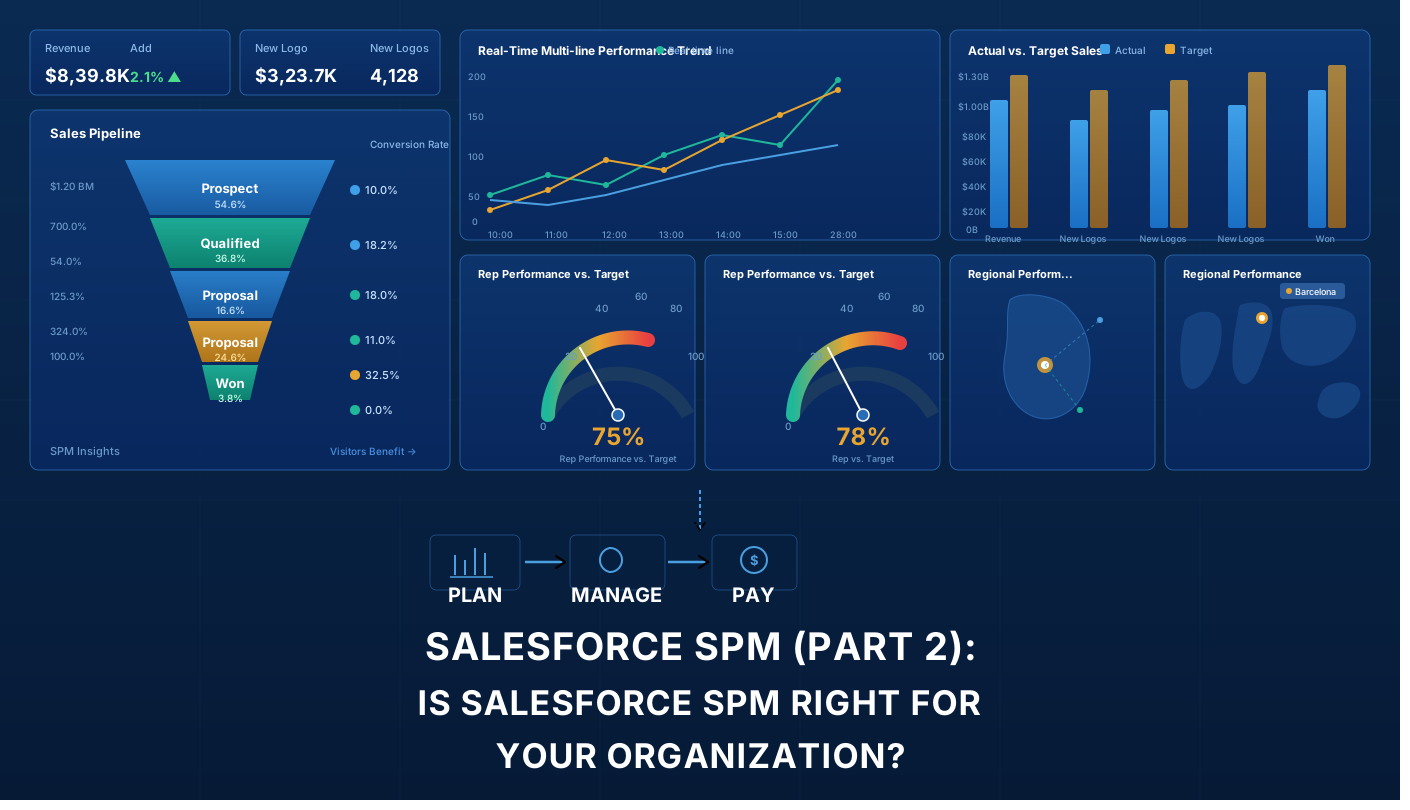
Salesforce SPM: Use Cases, Implementation Timeline, and ROI (Part 2 of 2)

Is Salesforce SPM Right for Your Organization?

In Part 1 of this Salesforce SPM series, we explored what Salesforce Sales Performance Management is, how the different products work, and why expert Salesforce consulting matters.

But you still might be wondering: Is Salesforce Sales Performance Management right for my organization? When does the ROI actually justify the investment? How long does Salesforce SPM implementation take? And what should we expect to invest?

This Part 2 answers those questions. We’ll explore real-world use cases, help you determine if Salesforce SPM fits your company size and industry, break down implementation timelines and budgets, and discuss the actual ROI you can expect.


Who Needs Salesforce SPM? Company Size Analysis

Not every organization needs Salesforce SPM. Here’s where it makes sense:

Startups (1–50 employees) — Not yet. Your sales process isn’t complex enough. Basic Sales Cloud with simple commission tracking is sufficient. Revisit when you hit $5M+ ARR with 20+ reps on multiple compensation structures.

Growth-stage (50–250 employees) — This is the inflection point. SPM starts making financial sense when commission calculations consume 30+ hours/month, forecasts are off by 15%+, and spreadsheets can’t keep up. Expect 12–18 months to payback on a $200–450K Year 1 investment.

Mid-market (250–1,000 employees) — Highly recommended. At this scale, the cost of not implementing SPM — errors, attrition, forecasting gaps — typically exceeds the investment. Payback: 6–12 months. Investment: $400K–$1M Year 1.

Enterprise (1,000+ employees) — Essential. Compliance, multi-currency support, board-level forecasting, and ERP integration make centralized SPM non-negotiable. Payback: 4–8 months. Investment: $1.1M–$3M+ Year 1.


5 Problems Salesforce SPM Solves

Use Case 1: “Our Commission Calculations Are Killing Finance”

The Situation

Your finance team spends 40+ hours per month calculating commissions using spreadsheets. Multiple people are involved. Errors happen. Salespeople dispute payouts. Finance is exhausted.

The Business Impact

  • Month-end close is delayed by days or weeks
  • Commission disputes create HR escalations
  • Finance team burnout is high
  • Errors undermine trust in the compensation system
  • Errors cost thousands in overpayments or missed payouts

How Salesforce SPM Solves It

Salesforce Incentive Management automates commission calculations entirely. Finance inputs rules once; the system applies them consistently to every salesperson, every month, every year.

The Transformation

  • Commission processing drops from 40 hours to 4 hours per month
  • Calculation errors drop by 95%+
  • Finance team has time for strategic analysis instead of manual calculations
  • Salespeople trust the system because calculations are consistent and auditable
  • Month-end close accelerates significantly

Typical Results: 30-50 hours per month freed up in finance, 95%+ reduction in commission disputes, 100% calculation accuracy

Company Size This Affects Most: 50+ salespeople, multiple commission structures

Payback Period: 6-12 months


Use Case 2: “We Can’t Forecast Revenue Accurately”

The Situation

Every quarter, your forecast is wrong by 15-25%. You can’t predict cash flow. Investors get frustrated. Leadership makes decisions based on guesses, not data.

The Business Impact

  • Cash flow surprises create financial challenges
  • Board and investor confidence erodes
  • Hiring and resource planning are inaccurate
  • Strategic decisions lack data foundation
  • For public companies, this affects stock price and credibility

How Salesforce SPM Solves It

Salesforce Analytics Cloud integrates with your Sales Cloud data to provide real-time revenue forecasting with predictive models that achieve 90%+ accuracy. The system leverages:

  • Pipeline data and deal probability
  • Historical performance patterns
  • Real-time sales activity and pipeline velocity
  • Seasonal trends and cycles
  • Territory and rep-specific performance

The Transformation

  • Forecast accuracy improves from 75-80% to 90%+
  • Cash flow becomes predictable
  • Leadership makes confident strategic decisions
  • Investors have confidence in guidance
  • Resource planning is accurate

Typical Results: 20-25% improvement in forecast accuracy, better cash flow management, improved investor/board confidence

Company Size This Affects Most: Any size, but especially enterprises and venture-backed companies where forecasting directly impacts investor relations

ROI: For a $100M revenue company, a 15% improvement in forecast accuracy can represent $15M in better-managed cash flow.


Use Case 3: “Salespeople Don’t Understand Their Compensation”

The Situation

Your sales team doesn’t understand how their compensation is calculated. They feel quotas are unfair. Turnover increases. You lose top talent to competitors.

The Business Impact

  • Sales team morale is low
  • Top performers leave for competitors
  • Recruitment and onboarding costs skyrocket
  • Productivity suffers due to lack of motivation
  • Compensation disputes are constant
  • Trust in management erodes

How Salesforce SPM Solves It

Salesforce Incentive Management provides transparent, real-time visibility into compensation. Every salesperson can log in and see:

  • How much they’ve earned year-to-date
  • Progress toward their quota in real time
  • What they need to do to hit their targets
  • Exactly how each deal contributed to their earnings
  • Comparison to peers (if your plan allows it)

The Transformation

  • Sales team understands compensation and trusts the system
  • Transparency drives motivation
  • Top performers feel valued and stay
  • New hires onboard faster because they understand the plan
  • Compensation disputes drop dramatically

Typical Results: 10-20% improvement in sales productivity, 25-35% reduction in turnover, significantly improved sales team engagement

Company Size This Affects Most: 30+ salespeople, any compensation complexity level

Payback Period: 3-6 months (through reduced turnover and improved productivity)


Use Case 4: “Territory Assignments Create Constant Conflict”

The Situation

Account assignments are constantly disputed. Top salespeople hoard high-value accounts. Junior reps get stuck with unprofitable territories. Compensation feels unfair.

The Business Impact

  • Constant account assignment conflicts
  • Senior reps leave for competitors (taking accounts with them)
  • Junior reps never get a fair chance to succeed
  • Compensation disputes and HR escalations
  • Team cohesion suffers
  • Overall morale and productivity decline

How Salesforce SPM Solves It

Salesforce Territory Management uses algorithms to create balanced territories based on account value, geography, salesperson capacity, and fairness metrics. Every account is assigned systematically and transparently.

The Transformation

  • Territory assignment conflicts are eliminated
  • Territories are fair and balanced
  • Every salesperson has equal opportunity to succeed
  • Process is transparent (salespeople understand why they got their territory)
  • Team cohesion improves
  • Turnover drops

Typical Results: Elimination of account assignment conflicts, fair territory distribution, 20-30% reduction in turnover, significantly improved team cohesion

Company Size This Affects Most: 50+ field salespeople with account-based sales

Payback Period: 6-12 months (through reduced turnover and improved morale)


Use Case 5: “We’re Growing Fast and Systems Can’t Keep Up”

The Situation

Your company is scaling rapidly. You’re hiring salespeople monthly. Your legacy compensation system can’t scale. You need a modern, cloud-based Salesforce Sales Performance Management platform.

The Business Impact

  • Manual processes slow down hiring
  • New salespeople aren’t integrated into compensation systems quickly
  • Territory planning is impossible at scale
  • Scaling your sales operations requires hiring additional finance and ops staff
  • Growth is constrained by operational complexity

How Salesforce SPM Solves It

Salesforce Sales Performance Management scales automatically with your business. Add new salespeople, adjust compensation plans, and rebalance territories—all without hiring additional operations staff. The cloud-based system handles 50 salespeople or 5,000.

The Transformation

  • Sales operations scale without adding headcount
  • New hires are integrated into compensation systems immediately
  • Territory planning is quick and systematic
  • Territory rebalancing happens as needed, not annually
  • Growth is no longer constrained by operational complexity

Typical Results: Sales operations scale without adding headcount, faster time-to-quota for new hires, 20-40% reduction in operations overhead

Company Size This Affects Most: Any company in rapid growth mode (adding 20%+ more salespeople annually)

Payback Period: Ongoing (prevents hiring additional staff, which would cost $200K+/year per person)


Implementation Cost and Timeline

Scope Team Size Duration Consulting Licensing (Yr 1) Total Yr 1
Small 50–100 3–4 months $60–100K $30–50K ~$90–150K
Medium 100–300 5–7 months $150–300K $75–150K ~$225–450K
Large 300+ 8–12 months $300–600K $150–300K ~$450–900K
Enterprise 1,000+ 12–18 months $600K–$1.5M+ $300K–$1M+ ~$900K–$2.5M+

Annual licensing runs $225–575/user/month across Sales Cloud, Incentive Management, Territory Management, and Analytics Cloud.


ROI: What Value Does SPM Actually Deliver?

For a 100-person sales organization, the annual benefit typically reaches $1.5M–$2.5M:

Driver Annual Value
Admin time savings ~$60K
Commission dispute reduction ~$18K
Forecast accuracy improvement ~$750K
Sales productivity uplift ~$300K
Reduced turnover ~$750K
Ops headcount avoided $150–500K+

Industry Snapshot

  • SaaS/Software — 6–10 months, $250–600K. Primary benefit: forecasting accuracy and scalable comp.
  • Financial Services — 9–15 months, $500K–$1.5M. Primary benefit: compliance and audit trails.
  • Enterprise Software — 8–14 months, $400K–$1.2M. Primary benefit: territory fairness, dispute elimination.
  • Pharma/Medical Device — 10–16 months, $600K–$2M. Primary benefit: regulatory auditability.

Choosing the Right Implementation Partner

The technology is only half the equation. The right partner makes the difference.

Green flags: 100+ SPM implementations, certified Salesforce architects, compensation design expertise, dedicated change management, industry references, post-go-live support.

Red flags: No change management capability, unrealistic timelines, no comparable references, disappears after go-live.

A Salesforce SPM implementation is a $100K–$2M+ investment. Working with an official Salesforce partner doesn’t guarantee success, but it does guarantee a minimum bar: certified architects, proven methodology, and accountability to Salesforce’s own standards. Not just their word.


Your 4-Step Decision Framework

  1. Quantify your pain — How many hours does commission admin consume? What’s your forecast accuracy gap?
  2. Model your ROI — Apply the value table above to your actual numbers.
  3. Assess readiness — Do you have exec sponsorship, budget, and cross-functional alignment?
  4. Talk to an expert — A proper discovery process validates your business case before you commit.

Key Takeaways

  • SPM makes financial sense at 50+ salespeople. It’s essential at 250+.
  • Mid-market organizations typically see $2M+ in annual benefits within 12 months.
  • Payback ranges from 4 months to 18 months depending on scale.
  • Expert consulting and change management are what separate successful implementations from failed ones.

This is Part 2 of a two-part series. Read Part 1: Salesforce SPM — What It Is and How It Works


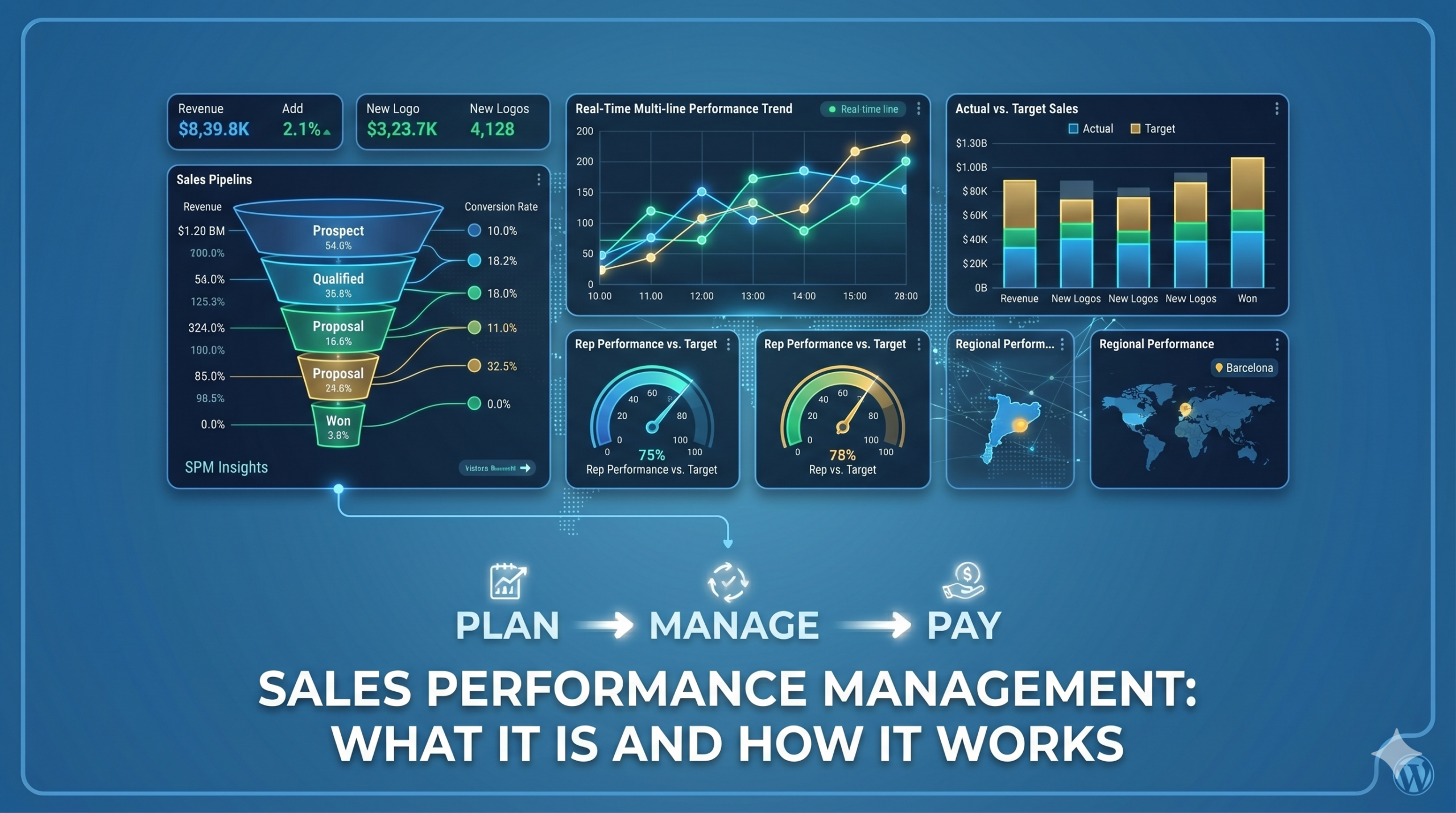
Salesforce SPM: What It Is and How It Works (Part 1 of 2)

What Is Salesforce Sales Performance Management (SPM)?

If you’ve searched for “Salesforce SPM” or “sales compensation software,” you’ve probably seen the term everywhere, but not always a clear explanation.

Salesforce Sales Performance Management (SPM) is a suite of tools that helps companies automate sales compensation, manage territories, and improve forecasting, all within the Salesforce ecosystem.

In this article, we’ll break down what Salesforce SPM is, what it includes, and why more companies are adopting it.


The Problem Salesforce SPM Solves

As sales teams grow, managing compensation and performance becomes increasingly complex.

Most organizations still rely on spreadsheets and manual processes. This typically leads to:

  • Hours spent calculating commissions every month
  • Frequent errors and disputes
  • Limited visibility for sales teams
  • Unbalanced territories and missed opportunities
  • Inaccurate revenue forecasts

These issues slow down operations and make it harder to scale.

Salesforce SPM addresses this by centralizing and automating these processes, improving accuracy, transparency, and efficiency.


What Is Salesforce SPM? (Simple Explanation)

At its core, Salesforce SPM helps you:

  • Automatically calculate commissions based on defined rules
  • Assign territories using data instead of manual decisions
  • Track performance and compensation in real time
  • Improve forecast accuracy using CRM data
  • Scale operations without increasing administrative workload

Instead of relying on spreadsheets, everything is managed in a single, connected system.


What Does Salesforce SPM Include?

Salesforce SPM is not a single product, but a combination of tools that work together:

1. Incentive Management

Automates commission calculations and provides full visibility into earnings and performance.

Why it matters:
Reduces manual work, eliminates errors, and builds trust with sales teams.


2. Territory Management

Distributes accounts and territories based on data, capacity, and opportunity.

Why it matters:
Ensures fair allocation and avoids conflicts between sales reps.


3. Sales Cloud

Acts as the central source of data, including opportunities, accounts, and pipeline.

Why it matters:
SPM relies on accurate CRM data to function properly.


4. Analytics (Forecasting & Insights)

Provides dashboards and predictive forecasting based on real-time data.

Why it matters:
Helps leaders make informed decisions and anticipate risks.


How Salesforce SPM Works

A typical implementation by an expert consultancy would follow these steps:

  1. Plan design
    Define compensation structures, quotas, and territory rules.
  2. System configuration
    Set up rules, dashboards, and integrations in Salesforce.
  3. Data preparation
    Clean and organize sales, account, and compensation data.
  4. Testing and validation
    Ensure calculations and assignments are accurate.
  5. Deployment and training
    Prepare teams to adopt the new system.
  6. Ongoing optimization
    Continuously refine plans and performance tracking.

A structured approach is critical to avoid rework and ensure adoption.


Salesforce SPM vs. Manual Processes

Here’s how Salesforce SPM compares to traditional spreadsheet-based management:

Area Manual Approach Salesforce SPM
Commission calculation Time-consuming and error-prone Automated and Accurate
Transparency Limited visibility Real-time insights
Territory planning Manual and subjective Data-driven and fair
Forecasting Based on estimates Based on real data
Scalability Difficult to mantain Easily scalable

Result: less manual work, fewer errors, and better decision-making.


Common Mistakes in SPM Implementation

Many companies struggle with SPM not because of the technology, but because of how it’s implemented.

The most common mistakes include:

  • Starting implementation before defining compensation plans
  • Using poor-quality or incomplete data
  • Underestimating change management and training
  • Automating inefficient or outdated processes
  • Not planning integrations with other systems

Avoiding these pitfalls is key to getting real value from SPM.


When Should You Consider Salesforce SPM?

Salesforce SPM is especially relevant if:

  • Your finance team spends too much time on commission calculations
  • Your compensation structure is complex
  • You have frequent disputes about commissions or territories
  • Your forecasts are unreliable
  • You’re scaling your sales team

If several of these apply, it may be time to explore a more automated approach.


What’s Next

In Part 2 of this series, we’ll cover:

  • Real use cases and examples
  • Implementation timelines and costs
  • How to evaluate if SPM is right for your business
  • What to look for in a consulting partner

Get Started with Salesforce SPM

Thinking about improving how you manage sales performance?

Start with a simple assessment of your current processes and identify where automation could have the biggest impact.

If you want a clearer picture of how Salesforce SPM would work in your organization, the next step is to evaluate your specific needs and challenges. Get started with Salesforce SPM!