18 Aug, 2026
- 6 min
 18 Aug, 2026
 6 min
6 min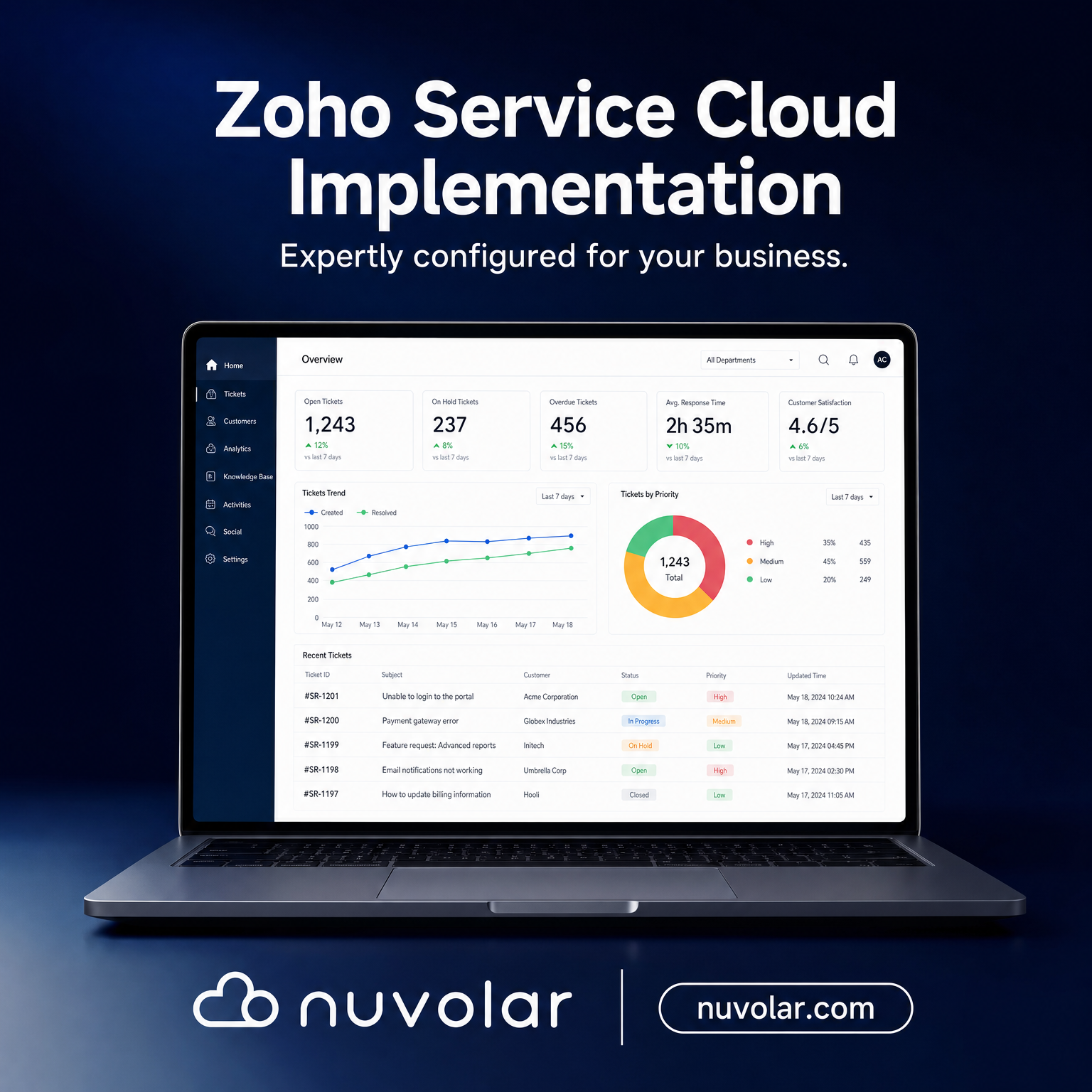
A service team can close a ticket quickly and still create a poor customer experience if the agent cannot see the customer’s sales history, open orders, contracts, or prior issues. For leaders evaluating a Zoho Service Cloud implementation, the real question isn’t whether Zoho can handle tickets — it’s how Zoho Service Cloud works alongside Zoho CRM to turn disconnected support activity into a controlled, measurable service operation. PwC’s research on customer experience puts a number on what’s at stake: customers will pay more for a better experience, and walk away just as fast when service falls short.
What Zoho Service Cloud Means in Practice
“Zoho Service Cloud” is shorthand for a connected Zoho customer service environment, not one standalone product. In most deployments, Zoho Desk is the primary service workspace, handling email, live chat, phone, social channels, and self-service in one place, while Zoho CRM holds the customer, account, deal, and relationship context. Depending on the operating model, the ecosystem may also include Zoho Analytics, Zoho Flow, Zoho SalesIQ, Zoho Assist, and finance or ERP applications.
The value isn’t simply a shared customer record. It’s the ability to define how service requests enter the business, who owns them, what rules govern escalation, and how outcomes feed back into retention, renewal, product, and sales decisions.
For a mid-market organization evaluating Zoho customer service software, this matters because service complexity tends to outgrow headcount faster than expected. Email inboxes, spreadsheets, and individual agent memory can work at low volume. They become an operational risk the moment customers expect consistent response times, auditable records, or coordinated support across multiple teams.
How Zoho Service Cloud Works With Zoho CRM
Zoho Desk captures and manages the service interaction. A ticket can originate from email, a web form, live chat, phone, social channels, or a customer portal. The system identifies the contact and account, applies categorization rules, and routes the request to the right queue or agent.
The Zoho CRM–Desk integration gives the service team commercial context. An agent can see whether a customer is a high-value account, whether they hold an active contract, which products they own, and whether an opportunity or renewal is in progress. Sales and account teams, in turn, see material service issues without waiting on a manual status update.
Not every ticket needs to live in CRM as a full case record. The right design depends on reporting, regulatory, and account-management requirements. High-volume transactional support can stay primarily in Zoho Desk, while escalations, complaints, implementation risks, or strategic account issues sync to CRM for broader visibility and governance.
What a Zoho Service Cloud Implementation Actually Involves
A Zoho service implementation is a design project first and a configuration task second. Five stages generally define it:
- Discovery and service taxonomy — map every request type your team handles today (billing, warranty, technical, complaint), and decide who owns each one and what SLA applies.
- Blueprint and workflow configuration — Zoho Desk’s Blueprint engine turns that taxonomy into an enforced process, so a ticket can’t skip a required step or close without a resolution code.
- Data model and integration — define the fields and objects Desk and CRM will share (contact, account, product, order), and connect any ERP, e-commerce, or field service system that also touches customer data.
- Migration and testing — move historical ticket and account data, then test automation rules against real scenarios before agents ever see them.
- Self-service and knowledge base setup — publish a searchable knowledge base and embed the ASAP widget in your product or site, so customers can resolve routine issues without opening a ticket at all.
- Training, go-live, and optimization — agents adopt the new workspace, and admins tune routing rules and SLAs against the first weeks of real ticket data.
Skipping the discovery stage is the most common reason a Zoho service rollout underperforms: teams configure the software around whatever process already exists, instead of designing the process the business actually needs.
Process Flow for Service in Zoho CRM
Once implemented, a mature Zoho CRM service process runs through five stages:
- Intake and identification — a ticket is created and matched to the relevant contact, account, or product.
- Classification and prioritization — type, severity, region, and entitlement set the SLA, by rule rather than agent judgment.
- Routing and resolution — the ticket goes to the right team by skill, workload, or tier; agents work from knowledge articles and linked CRM data.
- Escalation and coordination — Blueprint automation creates tasks for engineering, operations, finance, or field service the moment a rule is triggered.
- Closure, feedback, and insight — the resolution code is logged, feedback is captured, and Zoho Analytics surfaces recurring issues and SLA trends.
Design for exceptions as carefully as for routine requests. An overdue reply on a strategic account might need an automatic escalation to an account director; a data-privacy request might need restricted access and a separate retention rule.
Use Case: Zoho Service Cloud for a Growing Distributor
An industrial equipment distributor with 85 employees and a growing installed base was running warranty claims, parts requests, and technical questions through personal inboxes. Sales reps were copied on urgent emails, but nobody had a reliable view of open issues or response times.
After implementing Zoho Desk integrated with Zoho CRM, an incoming email creates a ticket linked to the account and the specific equipment purchased. Warranty cases are prioritized automatically based on product status and routed to technical support. Parts requests trigger a task for operations, and commercial concerns become visible to the account manager inside CRM — no status-update email required.
Management now measures more than ticket volume: which customers have repeat failures, which products drive the most support demand, which accounts are approaching renewal with an issue still open, and which teams are missing their targets. That’s the point where service data starts informing revenue decisions instead of just recording activity.
Design Choices That Determine Adoption
Technology doesn’t fix a weak service model on its own. The most effective Zoho service environments start with a clear taxonomy: what request types exist, who owns each, what information agents need, and what outcomes get reported.
Integration design deserves the same early attention. If customer data lives across an ERP, e-commerce platform, field service system, and Zoho CRM, teams need one agreed source of truth for account details, products, orders, and history. Poor synchronization creates more confusion than a standalone help desk ever would.
Nuvolar treats this as an operating-model design exercise as much as a platform implementation. The goal is technology with intention: workflows that match how teams actually serve customers, with the visibility, controls, and scalability leadership needs.
A well-designed Zoho service operation makes the next action obvious for agents, makes accountability visible to managers, and makes customer risk visible before it becomes a renewal or reputation problem.